




Every little detail, 100% organized.
Creative projects are complex – lots of people, lots of files, lots of opinions. Capture and connect everything so nothing falls through the cracks.
Learn more →

Digital and creative agencies make their clients happier with Copper.





 Free 14-day trialEasy to set upNo credit card required
Learn more →
Learn more →


With Copper, there was almost no setup time since it worked with Gmail. Plus, there were all these integrations that we could use right away. We were sold.

Copper's real superpower for us is connection. with Copper, and I knew that it could be built upon. We could use it to connect engagement, bidding and active project management, creating a full circle system.


Learn more →


Campfire Labs uses Copper to automate and eliminate tedious, manual tasks
Read More →

7 Tips for Managing a Creative Agency
Read More →

Creative agency CRM buyer's guide
Read More →

How to build long-lasting client-agency relationships
Read More →

Top 6 things to look for in a CRM for agencies
Read More →

Agency use case: LifeNow Video
Read More →
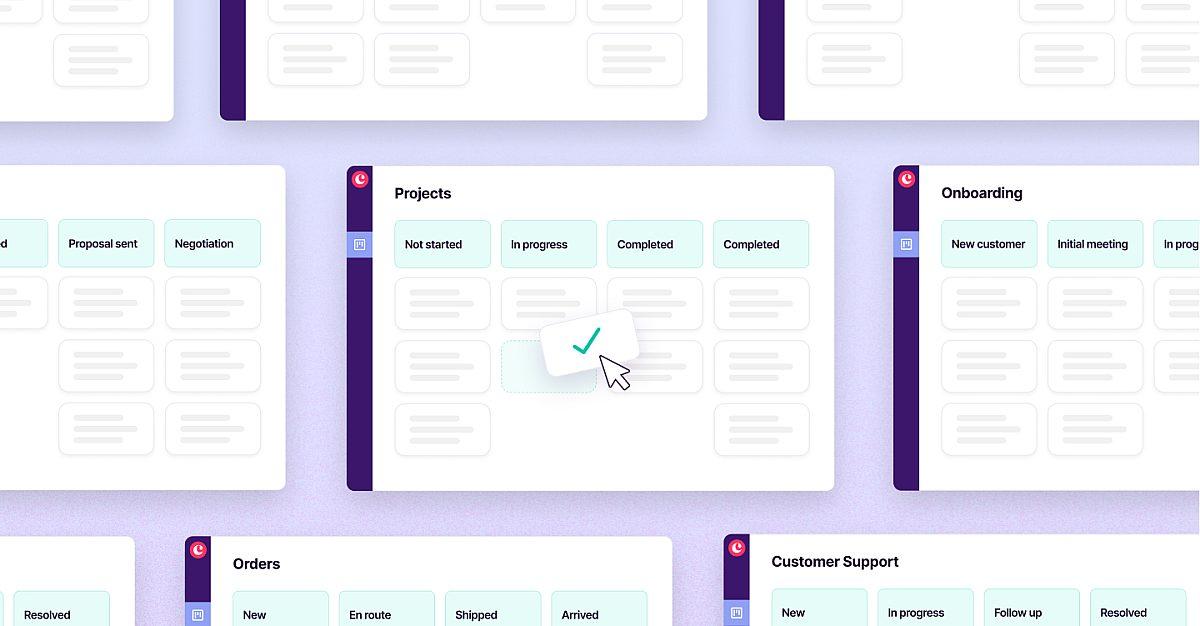
Efficient project management with Pipelines
Read More →

Lead nurturing playbook - turning connections into clients for agencies
Read More →

How Planet Argon exceeds client expectations with Copper and Parallax
Read More →
How Kontent Partners brought order to creative chaos
Read More →
Campfire Labs uses Copper to automate and eliminate tedious, manual tasks
Read More →
7 Tips for Managing a Creative Agency
Read More →
Creative agency CRM buyer's guide
Read More →
How to build long-lasting client-agency relationships
Read More →
Top 6 things to look for in a CRM for agencies
Read More →
Agency use case: LifeNow Video
Read More →
Efficient project management with Pipelines
Read More →
Lead nurturing playbook - turning connections into clients for agencies
Read More →
How Planet Argon exceeds client expectations with Copper and Parallax
Read More →
How Kontent Partners brought order to creative chaos
Read More →
Everything you need to know about using Copper CRM for your agency.

Copper is built to cover the full agency lifecycle: from prospecting and pitching new business all the way through project delivery and client retention. Once you close a deal, you can transition it directly into a project pipeline without losing any of the client history or communication context. This means your new business pipeline and your delivery workflow live in the same system, giving everyone on your team visibility into where each client relationship stands. Agencies like Kontent Partners use Copper specifically because it connects engagement, bidding, and active project management in one place.
Copper's activity feed gives every team member real-time visibility into all client interactions (emails, calls, meetings, notes, and tasks) all in one place. Because Copper integrates directly with Gmail, Google Calendar, and Google Drive, communications are automatically logged without anyone having to manually update the system. This means an account manager, a project lead, and a founder can all look at a client record and instantly understand the full history of that relationship without chasing each other down for updates.
Copper is specifically designed to be fast to get up and running, especially for teams already using Google Workspace. Because it connects directly to Gmail and Google Calendar, your existing email history and meetings surface automatically from day one; there's no starting from a blank slate. One agency (Exit Design) went from three months of onboarding with HubSpot to being fully operational in Copper in just three days. There's no lengthy implementation, no developers needed, and no credit card required to try it out.
Yes, Copper lets you automate repetitive tasks like sending follow-up emails, creating check-in tasks, or triggering a welcome message when a new project kicks off. For example, you can set Copper to automatically create a follow-up task whenever a proposal is sent, or send a project wrap-up email one week after delivery without anyone having to remember to do it. This frees your team to focus on creative work and client relationships rather than administrative overhead.
Yes, Copper integrates with QuickBooks for finance and billing visibility, Mailchimp for email marketing with a two-way contact sync, DocuSign for sending proposals and contracts directly from within Copper, and Slack for team notifications, among many others. The goal is that Copper sits at the center of your agency's workflow without forcing you to abandon the other tools your team already relies on. All the integrations are designed to connect in one click, with no technical setup required.
Still have questions?
Learn more in our help center.

Take Copper for a spin first.
Pay and add your team later.


