
Finding the right CRM for agencies is one of the most important decisions a growing marketing team can make. But, most don't think about it until something breaks.
By the time you've got six or more people across sales, account management, and delivery, the cracks don't show up as missed follow-ups. They show up as botched handoffs, duplicated outreach, and client context that lives in one person's inbox.
That's exactly why the right CRM stops being a nice-to-have once your team hits that inflection point. In this guide, we'll cover what to look for in a marketing agency CRM, the top platforms to consider, and why Copper is the go-to choice for agencies running on Google Workspace.
Key takeaways
- A CRM system transforms agency operations by centralizing client information, automating repetitive tasks, and enabling better team collaboration across all departments.
- Copper CRM stands out for agencies through its seamless Google Workspace integration, user-friendly interface, and minimal learning curve that allows teams to start using it immediately.
- CRM implementation delivers measurable benefits including improved client relationships through personalized experiences, enhanced data management, and actionable analytics for strategic decision-making.
- Agencies can choose from multiple CRM platforms like HubSpot for marketing-heavy needs, Salesforce for large-scale operations, or Copper for Google-integrated workflows and project management capabilities.
What is a marketing agency CRM software?
An agency CRM software helps you manage every interaction with current and potential clients — from the first cold email to the retainer renewal. It keeps all their information in one place, tracks communications, and automates tedious tasks. In other words, a CRM system is your agency’s best friend, helping you build stronger relationships, while streamlining operations.

Why is having a CRM good for your agency and business?
Implementing an agency CRM software can be a game-changer. Here are some of the key benefits:
- Improve client relationships: With your client lifecycle outlined in your CRM, you can provide a personalized and timely experience, making your clients feel valued and understood. Imagine sending an email to clients you haven’t heard from in a while. Or automatically sending an automatic handoff email when a client signs and the work begins. It’s the little details that make clients feel special and foster loyalty.
- Enhance collaboration: When your team grows past a handful of people, "everyone staying on the same page" stops being a vibe and starts being a logistics problem. Agency CRM software gives your whole team — sales, account management, project delivery — a shared view of every client relationship. No more handoff emails. No more "wait, who spoke to them last?" No more institutional knowledge walking out the door when someone leaves.
- Increase efficiency: For a team of six or more, the admin overhead compounds fast. Every person doing their own manual data entry, follow-up tracking, and status updates adds up to hours of wasted time every week. A strong CRM for agencies automates the repetitive stuff (think: follow-up sequences, task assignments, pipeline updates), so your team spends time on client work, not on keeping the system fed.
- Have better data management: With a CRM for your agency, everything gets organized neatly, making it super easy to find what you need. You can know exactly when a client’s work anniversary is or recalling previous conversations without rummaging through endless emails. Whether it's a client's history or a detailed report, it's all just a few clicks away.
- Get insightful analytics: Quickly understand how your business is doing, so you can make better decisions. Track key metrics like conversion rates, spot trends in sales execution, and tweak your strategies on-the-go to keep your agency ahead of the game.
Key features of a marketing agency CRM
Not all CRMs are built the same. For a marketing agency CRM, the right features can make the difference between a tool your team loves and one they ignore. Here are the most important capabilities to look for:
- Flexibility: Your CRM should scale with your business, adapting to new sales channels, more clients, and evolving workflows without requiring a full overhaul.
- Team communication: The best CRMs for marketing agencies allow everyone to stay aligned on client status without jumping between tools.
- Ease of adoption: If your team won't use it, it won't work. Prioritize a CRM with an intuitive interface and a minimal learning curve.
- Email marketing integration: Look for built-in email capabilities or deep integrations so you can personalize outreach and track engagement without leaving your CRM.
- Automation: A strong CRM for your marketing agency should eliminate repetitive admin work, from data entry to follow-up sequences.
- Reporting and analytics: Data-driven agencies win more clients. Your CRM should surface the metrics that matter for both internal performance and client reporting.
Want to go deeper? See our full breakdown: 6 features to look for in a CRM for agencies
Best CRM platforms for agencies in 2026
Choosing the right CRM can be a difficult choice with so many options available. In fact, there are probably a few things you need to look for in particular when it comes to choosing the right one for you.
Here's a closer look at some of the best CRMs for marketing agencies, each offering unique benefits depending on your team's size, tools, and goals:
1. Copper
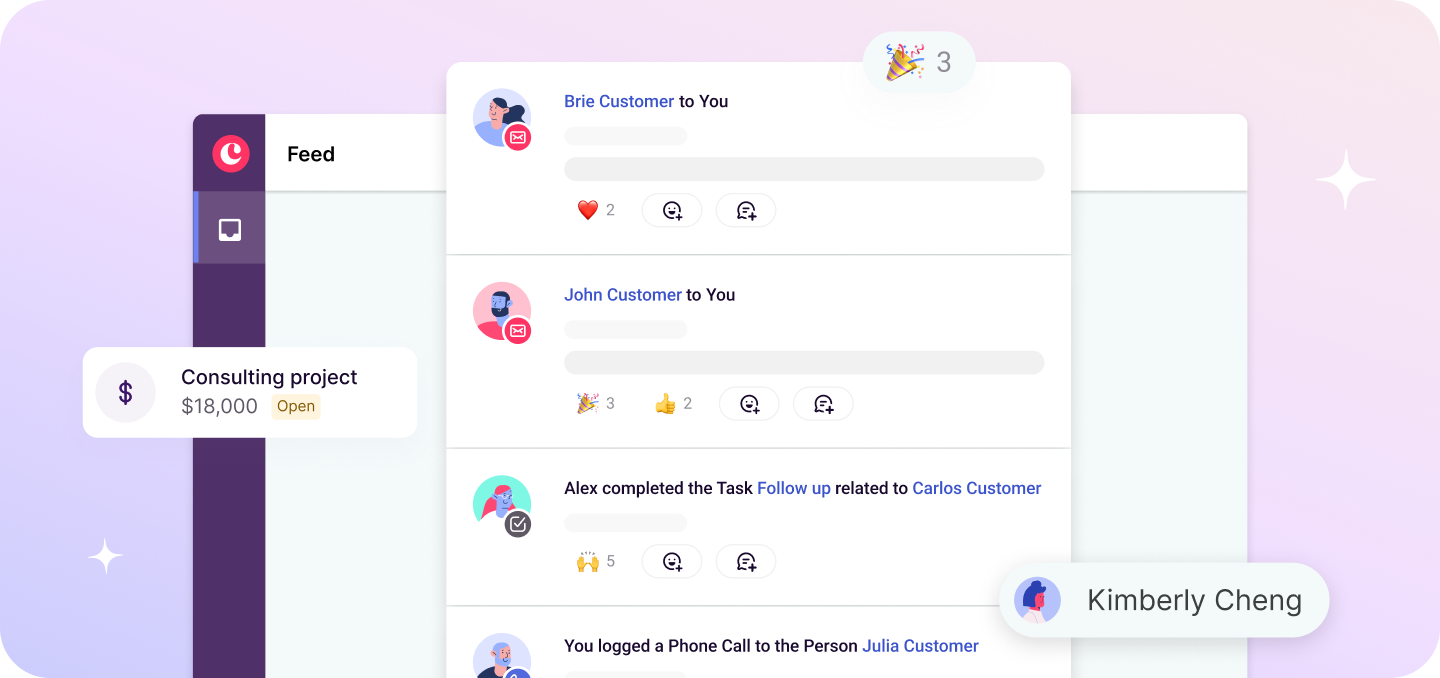
If your agency runs on Google Workspace, Copper is the obvious choice — and honestly, it's not even close. It's the only CRM natively embedded in Gmail, Google Calendar, and Google Drive, so your team isn't learning a new platform or toggling between tabs to log a call or update a deal. Everything happens where the work already lives.
For agencies with six or more people, that matters more than it sounds. Onboarding a new tool across a whole team is where CRM adoption goes to die. With Copper, there's no lengthy implementation, no dedicated admin to keep the lights on, and no two-week training process nobody has time for. Bajillion Agency mapped their entire 13-step business process into Copper and had the whole team running in under a day. (Yes, really.)
The onboarding experience is a big part of why agencies stick with Copper. It's not a knowledge base and a ticket queue — it's a real person who learns your workflow and walks your team through it.
Kelly Jennings, Studio Director at Exit Design, put it best: "The onboarding process was customized to us, and it was a real person without a rigid script who took us through each step. The entire team appreciated Copper's hands-on, personalized approach."
Where Copper really pulls ahead for growing agencies is the combination of CRM and project management in one place.
Most CRMs treat "closed-won" as the finish line. Copper treats it as the handoff point: your pipeline flows directly into project delivery, so the context your sales team built doesn't vanish the moment a contract gets signed. Your account managers pick up exactly where the conversation left off, without a Slack thread asking "wait, what did we promise them?"
Automated workflows handle the repetitive stuff, like follow-up sequences, task assignments, handoff notifications, so your team stays focused on client work instead of feeding the system. New hires get up to speed on existing client relationships fast, without digging through old email chains or hunting down the person who closed the deal.
Sound like what your agency's been missing? Let's book a demo and show you exactly how it works.
2. HubSpot CRM
HubSpot is a solid pick for agencies that are heavily invested in inbound marketing and want their internal operations to mirror what they deliver to clients. The Marketing Hub, Sales Hub, and Service Hub cover a lot of ground — email campaigns, deal tracking, client communication — all in one platform.
The tradeoff is cost and complexity.
Pricing climbs fast once you need the features that actually matter for a growing team, and the ecosystem can start to feel like lock-in once you're deep into it. If your agency's primary service is inbound marketing and you want your CRM to double as a marketing automation tool, HubSpot makes sense. If you're looking for something leaner that doesn't require a dedicated admin to run, it's probably more than you need.
3. Salesforce
Salesforce is the obvious choice if you're running a large, multi-team agency with genuinely complex sales processes and the resources to match. The customization ceiling is basically unlimited, and the integration ecosystem is unmatched. The catch is everything that comes with that power — a months-long implementation, a dedicated resource to build and maintain your instance, and a price tag that reflects all of it.
For most agencies in the 6 to 50 person range, Salesforce is solving problems you don't have yet while creating operational overhead you'll feel immediately. Worth revisiting when you're at real enterprise scale. Not the right starting point for a growing agency that just needs visibility and speed.
4. Productive
Productive shines on the delivery side of agency work. If your team needs robust project management, resource planning, budgeting, and time tracking all in one place, it's genuinely strong. The gap is on the relationship side: Productive's CRM capabilities are lighter than dedicated CRM platforms, which means it works best as a delivery tool rather than a full client relationship system.
For agencies where project execution is the core pain point and relationship management is secondary, it's worth a look. For teams that need to manage both sides of the client lifecycle in one place, you'll likely feel the ceiling.
5. Pipedrive
Pipedrive does pipeline management very well, and your business team will appreciate the clean visual deal tracking and intuitive stage management. The limitation for agencies shows up the moment a deal closes.
Pipedrive isn't built for what happens next, like onboarding, project delivery, retainer management. That means you end up running a separate tool alongside it for the actual client work. For a team of six or more, that split means duplicated context, more tools to maintain, and handoff gaps between whoever owns the sale and whoever owns the delivery. It's a great fit if business development is your only use case. It falls short if you need one system to carry the full client relationship.
Why Copper is the best CRM for agencies using Google Workspace
Among the CRM options available, Copper shines brightly as the ultimate choice for agencies. Here’s why Copper is the top agency CRM for your business:
- You get seamless integration with Google Workspace: Copper is designed to work hand-in-hand with Google Workspace, which means you can easily manage your Gmail, Google Calendar, and other familiar tools. This seamless integration keeps everything in one place, making it easy for your team to stay productive.
When Chandler Navarrete, Head of Creative at Polymath, discovered Copper, he knew it was a game-changer. It ticked all the boxes for his team’s needs: native integration with Gmail, robust Mailchimp integration, affordability, and simplicity without the hassle of larger CRM systems.
“With Copper, there was almost no downtime since it worked seamlessly with Gmail. Plus, the integrations with tools like Mailchimp were ready to go right out of the box. We were sold.”
Chandler, Head of Creative at Polymath
- It’s got a user-friendly interface: Copper is as user-friendly as your favorite social media platform. Hook up your team’s Google Workspace account and instantly dive into a complete history of all your client interactions. It's like having a super-organized digital assistant at your fingertips! That also means there isn’t much of a learning curve, which means your team can hit the ground running.
- Quickly automate workflows: Say goodbye to time-consuming admin tasks and hello to increased efficiency. Let Copper handle the busywork so you can focus on what really matters.
- Get robust reporting and analytics: With Copper, you get detailed reports and analytics that give you a clear picture of your agency’s performance and client interactions. These insights help you spot trends, measure success, and make smart decisions to keep your business moving forward. Track key metrics, monitor your progress, and tweak your strategies in real-time to stay ahead of the game.
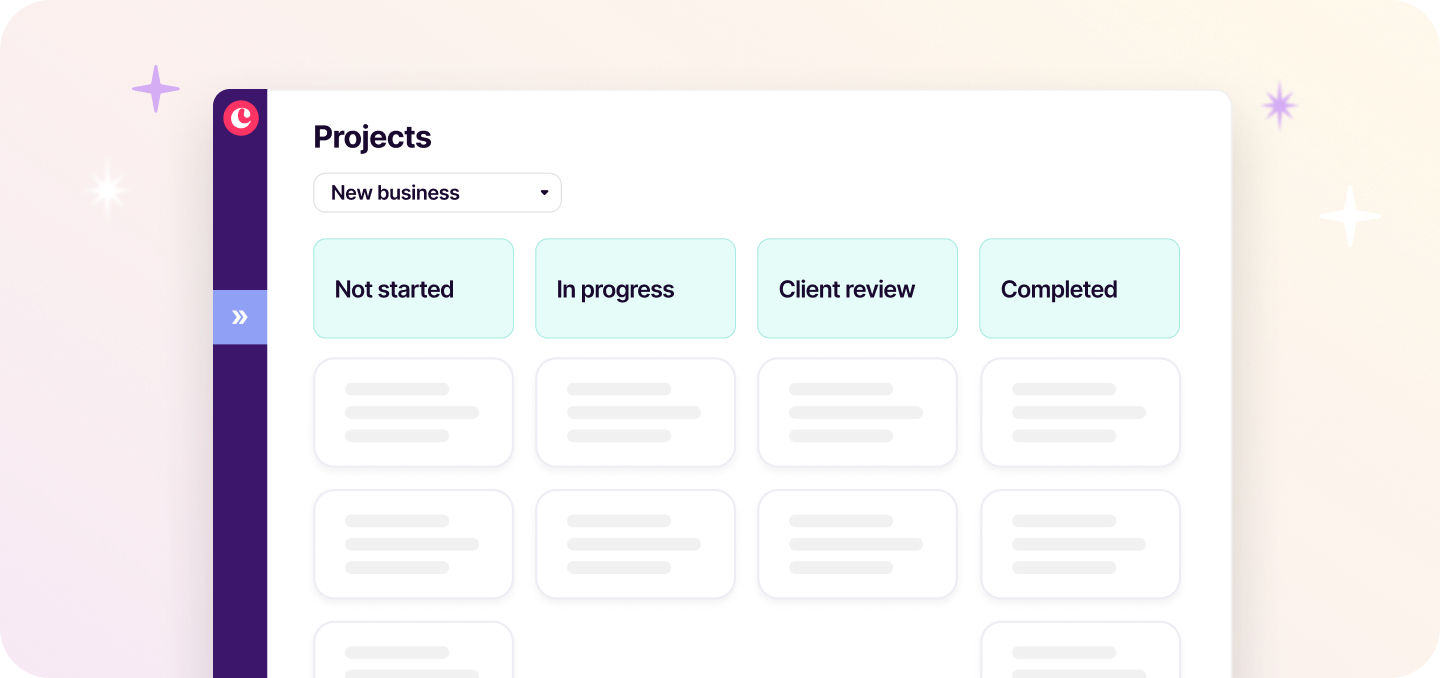
- It’s easily customizable: Make Copper your own by customizing pipelines, fields, and more to fit your agency’s unique needs. Copper grows with your business, offering the flexibility to create a CRM system that matches your processes and goals.
Anna, an account manager at Campfire Labs, found Copper to be incredibly flexible and scalable. She highlighted the email integration capabilities and the Copper Chrome extension as huge selling points, with both features helping her save time and work more efficiently — which is crucial in the fast-paced environment of an agency. So, whether you need to track specific client details or manage complex projects, Copper adapts to you.
"There was a lot of flexibility with Copper, and I knew that it could be built upon. We could have a simple pipeline today and a complex pipeline or multiple pipelines in the future… It’s very scalable.”
Anna, Account Manager at Campfire Labs
Invest in a CRM for your marketing agency
Choosing the right tools can make all the difference in running a successful agency. A CRM like Copper doesn't just simplify your tasks—it transforms the way you work. With seamless Google Workspace integration, user-friendly features, and powerful automation, Copper helps you attract more clients, streamline operations, and deliver projects effortlessly.
We grow as you grow.
So don't wait — try our 14-day free trial today and see why Copper is the go-to agency CRM software for teams that run on Google Workspace.
Frequently Asked Questions
1. Does Copper CRM specialize in marketing agencies?
Copper isn't exclusively built for marketing agencies, but agencies are squarely at the heart of who it's designed for. What makes Copper a natural fit for marketing agencies isn't a niche feature set, it's the way it works. Copper lives inside Gmail, Calendar, and Drive, so your team doesn't have to learn a new platform or break their existing workflow. If your marketing agency runs on Google Workspace (and most do), Copper fits in like it was already there.
2. How is a marketing agency CRM different from a project management tool?
A project management tool helps you manage deliverables: tasks, timelines, and team coordination. A CRM manages relationships: leads, deals, client history, and every touchpoint from first conversation to signed contract to renewal. You might use a project tool to run a campaign, but your CRM tells you who that client is, what was promised in the last call, whether the retainer is up for renewal, and which accounts are at risk of churning. That's why Copper is built to bridge both worlds. It's the only CRM that's also a client and project management tool, so your agency can manage the full client journey in one place, without juggling multiple apps.
3. Do agencies really need a CRM for agencies, or is a spreadsheet enough?
A shared spreadsheet works until your second account manager joins and you realize nobody's updating it the same way. For agencies managing multiple retainers, active pitches, and a team of six or more, the real cost of a spreadsheet isn't the data entry, it's the visibility gaps. Who's the relationship owner on this account? What did we promise in the last call? Is this retainer up for renewal? A CRM built for agencies gives your whole team that context in one place, without a 10-message Slack thread to find the answer.