










A client communication plan is a written agreement between your agency and a client that spells out who talks to whom across account, creative, media, and finance teams, through which channels, how often, and how fast. It covers status updates, reporting, approvals, billing, and escalations, so both sides know what to expect from kickoff to renewal.
Client-agency relationships are lasting longer than ever. The average tenure is now about seven years, more than double what it was in 2016 (ANA and 4As). But the people on those accounts don't stay put. North American agencies averaged 18% staff turnover in 2024 (Campaign US), so most long-term clients will work with several account leads over the life of the relationship.
That's where communication breaks down. Not because anyone stopped caring, but because context lives in someone's inbox, and every new pod or new hire starts from scratch. And clients notice: in PwC's 2025 Customer Experience Survey, 52% of consumers said they'd stopped using or buying from a brand after a bad experience (PwC).
For established agencies, most misfires trace back to two things:
- Lack of visibility across pods and departments: When account, creative, media, and finance teams each hold part of the picture, important details slip through the cracks.
- Staff turnover: When an account lead leaves, the relationship history shouldn't leave with them.
A client communication plan fixes both by making the relationship's rules, rhythms, and history belong to the agency, not to any one person. It's the foundation for long-lasting client relationships. Here's how to build one (plus a template you can adapt for every account).
What is a client communication plan?
A client communication plan is the governance document for a client relationship. It's often attached to the MSA or SOW, and it answers the questions that usually cause friction later: Who owns the relationship on each side? Who approves what? Where do updates live? How quickly should someone expect a reply? What happens when something goes wrong?
Think of it as the operating manual for the account. It's created during onboarding, signed off by both sides, and revisited at every quarterly business review, SOW renewal, and team change.
How to build your client communication plan in 6 steps
1. Map every stakeholder with a RACI
On the client side, include the CMO or VP, brand and channel leads, procurement, and finance. On your side, include the group account director, account lead, strategy, creative, media, and finance. Mark who's responsible, who approves, who's consulted, and who just needs to stay informed.
2. Give each channel a job, and apply it to every pod
Decisions and approvals go to email so there's a record. Quick questions go to a shared Slack channel. Strategy happens live. Every team on the account follows the same rules, so the client never has to wonder where to look. (Project.co’s 2024 research found email is still the top channel for client communication.)
3. Tier your cadence
Match the meeting to the audience: weekly working sessions with brand and channel leads, a monthly performance or media pacing review, a quarterly business review with exec sponsors, and annual planning tied to SOW renewal. Saved email templates in Copper keep weekly recaps consistent no matter who on the team sends them.
4. Write your SLAs into the SOW
Response times, approval windows, and revision rounds belong in the contract, not just a kickoff slide. A common starting point is one business day for email and four business hours for urgent issues. Define what "urgent" means so every pod is working from the same definition.
5. Build a tiered escalation path
Start with the account lead, then the group account director, then the agency principal, each with a response window. Writing this down before there's a problem keeps things calm when there is one.
6. Keep one source of truth that survives handoffs
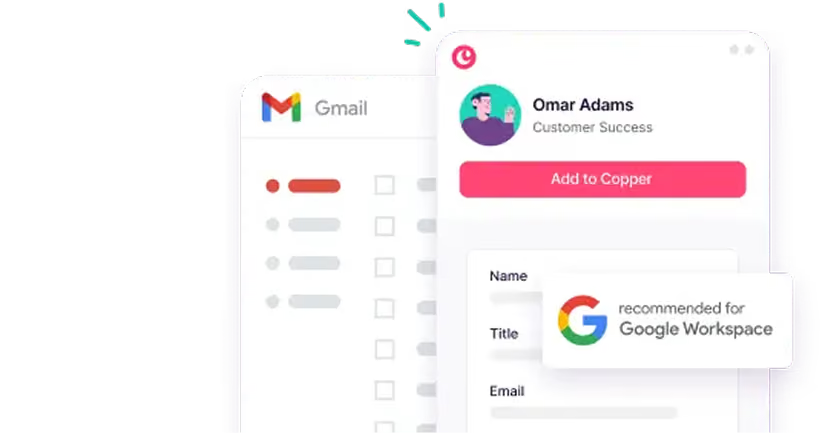
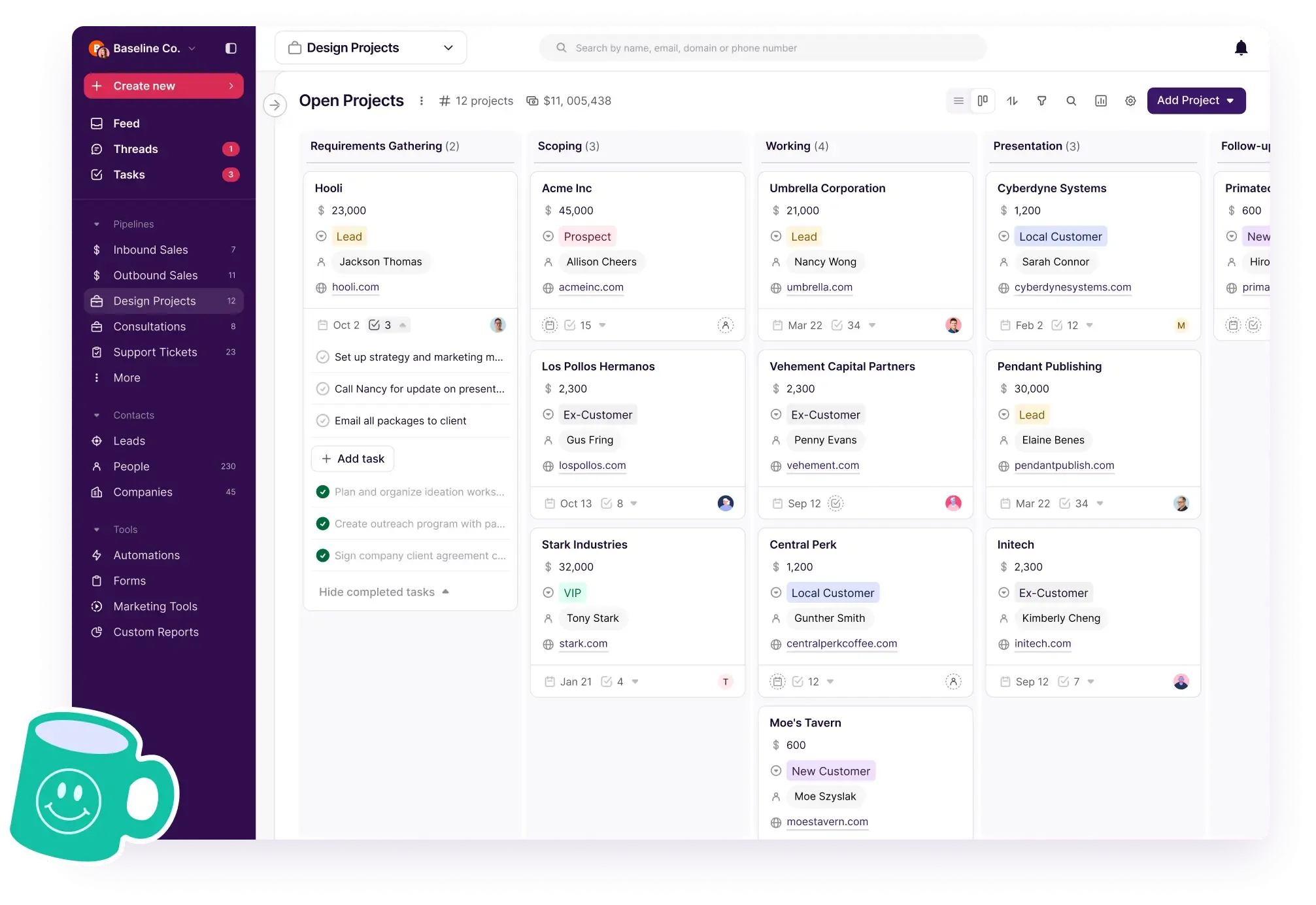
Store the plan where your whole team can see it alongside client history. With Copper, emails, meeting notes, files, and projects live on the client record inside Google Workspace. When someone new joins the account, the history is already there.
Here's a client communication plan template you can copy
Use this as a starting point for multi-team accounts. Every row has a backup owner, so nothing stalls when someone's out or moves on.
| Communication | Purpose | Channel | Frequency | Owner (agency) | Backup owner | Audience (client) |
|---|---|---|---|---|---|---|
| Kickoff meeting | Align on goals, KPIs, scope, SLAs, and this plan | Video or in person | Once | Group account director | Account lead | CMO or VP + approvers |
| Working session | Progress, blockers, next steps | Video call + recap email | Weekly | Account lead | Account manager | Brand and channel leads |
| Quick questions | Small clarifications | Shared Slack or Google Chat channel | As needed (reply within 4 business hours) | Whole account team | Account manager | Working-level contacts |
| Media pacing report | Spend vs. plan, optimizations | Shared dashboard + email summary | Weekly or biweekly | Media lead | Media planner | Channel lead |
| Creative review | Feedback and approvals, within agreed rounds | Review tool + recap email | Per round | Creative lead | Account lead | Brand lead |
| Performance report | Results vs. KPIs and business outcomes | Shared report + short call | Monthly | Account lead | Strategy lead | Main contact + exec sponsor |
| Retainer burn report | Hours or budget used vs. scope | Monthly | Finance lead | Account lead | Finance + main contact | |
| Approvals | Sign-off on deliverables | Email (written record) | Per deliverable | Account lead | Account manager | Named approver |
| Quarterly business review | Strategy, wins, next quarter's plan | In person or video | Quarterly | Group account director | Agency principal | CMO or VP + procurement |
| Leadership check-in | Relationship health, big-picture goals | In person or video | Twice a year | Agency principal | Group account director | CMO or VP |
| Annual planning + SOW renewal | Scope, budget, and SLAs for the year ahead | In person | Yearly | Group account director | Finance lead | CMO, procurement, finance |
| Account team change notice | Introduce new team members, confirm continuity | Email + intro call | Whenever roles change | Group account director | Account lead | Main contact + approvers |
| Escalation | Issues, missed deadlines, concerns | Phone, then email recap | Within 1 business day | Account lead, then group account director | Agency principal | Main contact |
Tip: add rows for anything specific to the account (like a media buy check-in or a regional team sync) and share the final version during onboarding.
8 best practices to keep client communication clear
Your plan sets the structure. These eight habits keep it working across every team on the account.
1. Be straightforward about scope
Before the work begins, align with your client on goals, KPIs, and scope for each workstream. If you're clear about deliverables, deadlines, and budget upfront, there's less room for misinterpretation down the road. Nobody likes surprise "scope creep," and on a multi-team account it compounds fast.
Document everything in writing so both sides have a reference point. Save the signed SOW and any change orders to the client's record in Copper so they're one click away when scope questions come up, whoever's asking.
2. Set SLAs and working norms that every team follows
On a large account, consistency across pods matters more than any one person's availability. If creative answers in an hour and media takes three days, the client experiences the slowest team. Agree on shared response windows, meeting norms, and which channels are for what, then hold every team to them.
Structured check-ins mean clients get updates at a predictable cadence, rather than scattered emails and calls from different people. Recurring tasks in Copper can remind each owner when their update is due.
3. Map preferences for every stakeholder, not just your main contact
Different people on the client side want different things. The CMO wants a one-page summary. The brand manager wants the working doc. Procurement wants the numbers. You'll need to communicate well after the deal is closed, so figure out how each stakeholder prefers to communicate.
Ask during onboarding, then note each stakeholder's preferred channel and format in a custom field in Copper so the whole account team sees it (including the people who join next year).
4. Own up to mistakes (and have a plan to fix them)
No campaign goes perfectly every time. When things don't go as planned, be upfront. Let clients know what happened, what you're doing to fix it, and how you'll prevent it from happening again. Transparency builds trust. Clients would rather hear the truth than find out later that something went wrong.
On a large account, decide who delivers the news. It should come from the account lead or group account director, not from whichever team member the client happened to email.
5. Push back (politely) when necessary
Being a "yes" agency might keep things smooth in the short term, but it doesn't build a relationship that lasts seven years. Your clients hired you for your expertise, so assert it when it matters, even when it's not what they want to hear. If the CMO believes their core customer is large retailers while your research says otherwise, walk them through the data and invite them to the next customer interview.
The same goes for procurement conversations and rate reviews. Pushing back with clear results and a documented history is how you stay the agency of record.
6. Use clear reports to show results
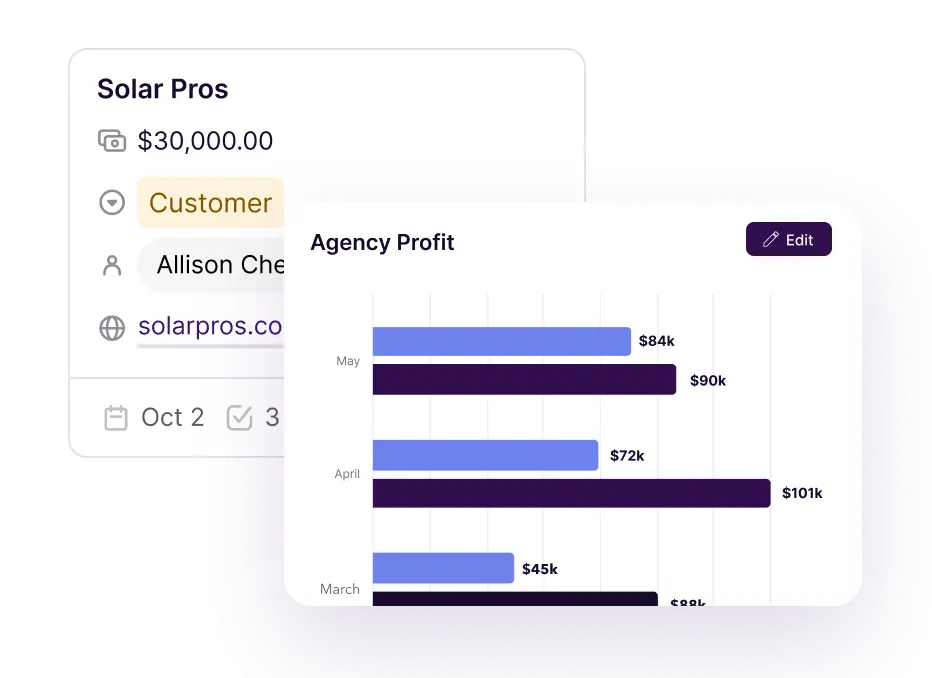
Report in two layers. Working-level reports (media pacing, campaign metrics, creative testing) keep brand and channel leads informed week to week. Executive summaries connect that work to business outcomes for the CMO and finance. Keep both formats consistent so clients can track progress over time. You can build a custom report in Copper and export it to Google Sheets for a clean, client-friendly view.
7. Be transparent about billing and contracts
Nobody likes unexpected charges, and procurement teams like them even less. Share retainer burn monthly, flag overages before they happen, and route scope changes through written change orders. Make sure POs, billing contacts, and invoice timing are agreed upfront.
The more clarity around costs, the easier it is to hold a good working relationship through budget cycles and renewals.
8. Use a CRM to keep every client conversation in one place
Once you're past a couple dozen people, spreadsheets and personal inboxes can't hold the full picture of an account. Critical documents end up scattered, and context walks out the door with every departure. That's where CRM file organization features come in handy. A CRM for agencies like Copper keeps communication consistent and every pod on the same page.
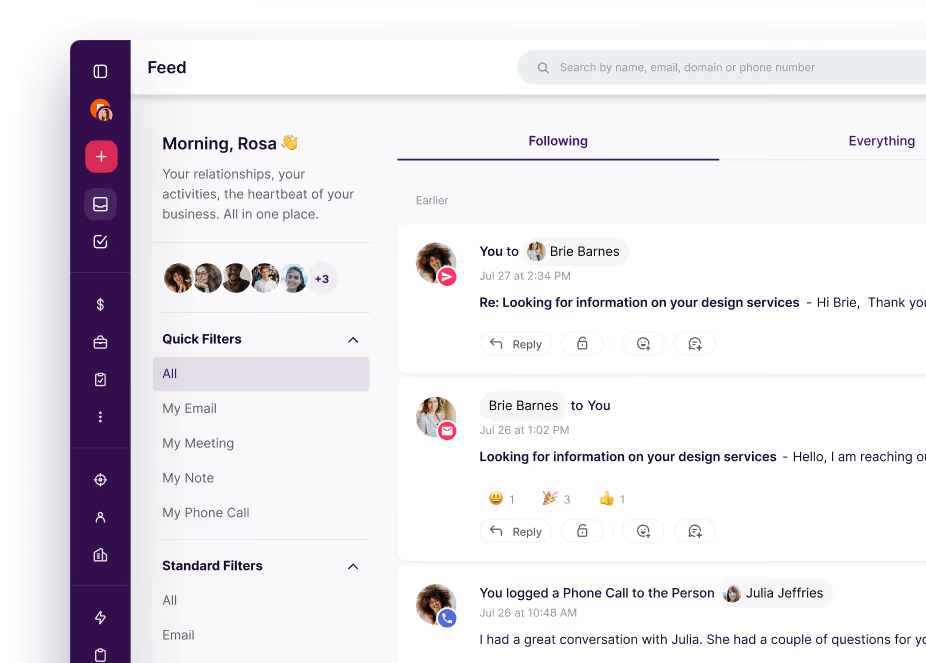
Juggling multiple accounts and teams? Copper's Feed brings client updates, emails, and meeting notes into one place. The All tab gives leaders visibility across the agency, while the Following tab lets each person focus on their priority accounts. Email visibility settings let you control who sees what, and the Preview Drawer shows a client's history without clicking through endless tabs.
By centralizing communication, you reduce miscommunications, speed up handoffs, and give every new team member the full story from day one.
How to keep communication consistent when your account team changes
People move on, and your clients shouldn't feel it. Before anyone rotates off an account:
- Log the relationship, not just the work. Update the client record with open threads, sensitivities, and stakeholder preferences.
- Overlap the handoff. The outgoing and incoming leads should attend at least one client meeting together.
- Tell the client first. Send the account team change notice before the switch, not after.
- Keep the history visible. When emails, notes, and files already sit on the client record in Copper, the new lead doesn't have to reconstruct the account from scratch.
How AI is changing client communication for agencies
AI won't replace the relationship, but it can take the busywork off your team's plate. Here are a few ways agencies are using it today:
- Meeting recaps in minutes. AI note-takers turn a call into a summary and action items, so recap emails go out the same day. (Here's more on taking great meeting notes.)
- Faster first drafts. Tools like Gemini in Gmail can draft a status update from your notes, which you then edit to sound like you.
- Smarter follow-ups. Gemini in Chrome can summarize a Copper record’s history and recommend next steps, so no one walks into a call cold.
Two rules of thumb. First, agree on how you'll use AI and handle client data in the SOW, so there are no surprises. Second, keep a human on anything sensitive: PwC found 86% of consumers say human interaction is moderately or very important in their brand experience.
What to do when a client goes quiet or escalates
Silence is often the first sign of churn. On larger accounts, watch for other signals too: a new CMO, procurement asking for a rate review, or talk of an agency review.
- Reach out on the right stakeholder's preferred channel with a short, specific question (not "just checking in").
- Look at the record first. Review recent emails, deliverables, and invoices so you know the context before you ask.
- Escalate internally early. Loop in the group account director or agency principal if two touchpoints get no response.
- When a client is upset, respond fast and in person. Acknowledge the issue, share your fix, and follow up in writing so there's a clear record.
Keep client communication effortless
A great client communication plan comes down to clarity, consistency, and connection. Build it once, share it early, and revisit it at every review and every team change. Whether you run 3 accounts or 30, the plan only works if everyone can see it.
The easiest plan to follow is the one that lives where you already work. Copper keeps every client email, meeting, file, and project in one place inside Google Workspace, so your whole agency always knows where each relationship stands. Try Copper for 14 days free.