











Parsley
Parsley is an presales agent for outbound sales teams. Sellers share a Parsley link on LinkedIn and in email; it answers prospects' questions from your own sales and technical docs and syncs every captured lead to Copper as a People record with buyer-intent tags and custom fields.
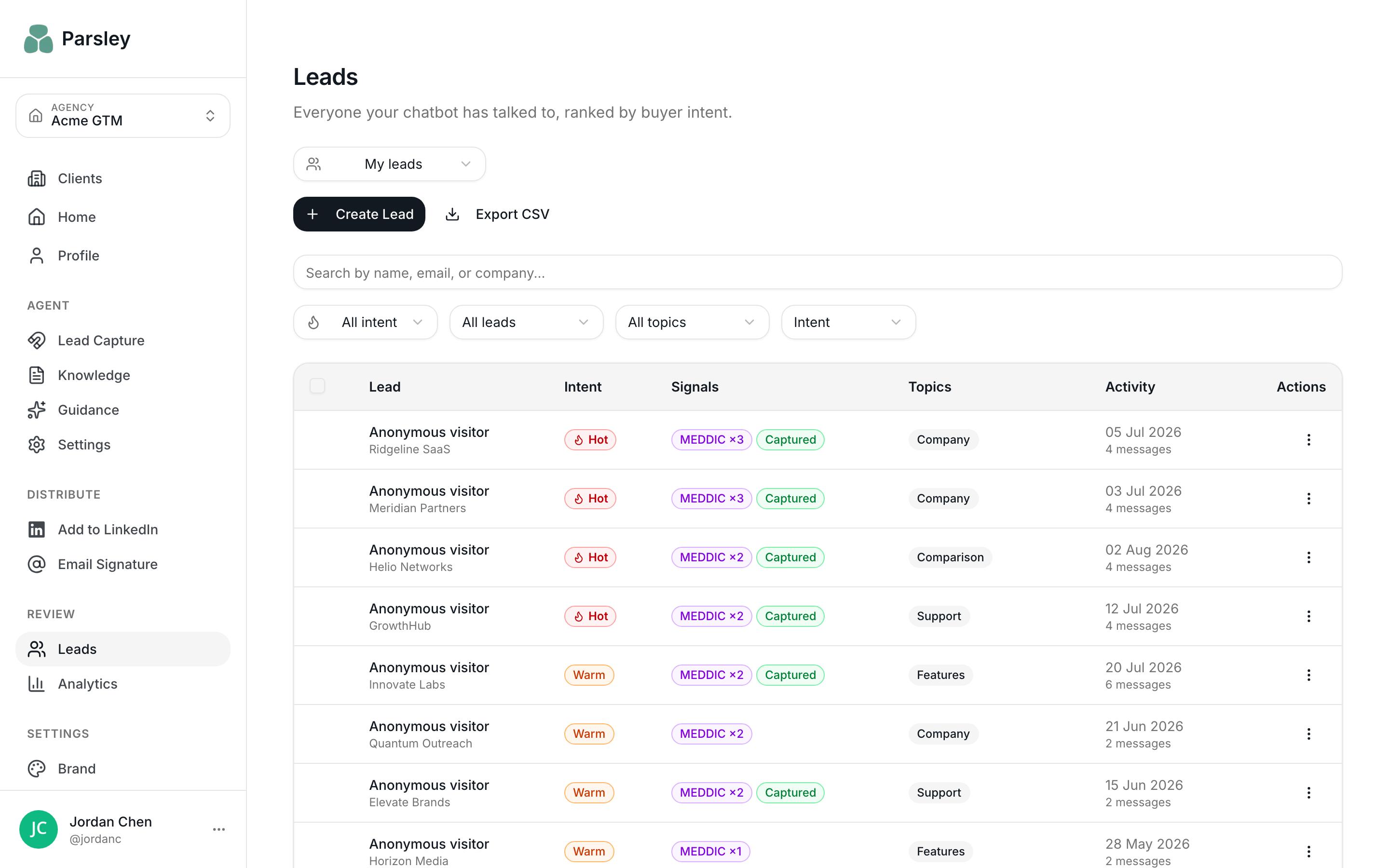
Parsley is an AI presales agent for outbound sales teams. Reps put a Parsley link on their LinkedIn profile and in the emails they send. When a prospect clicks it, Parsley answers their questions from your own sales documents - pricing, security, integrations, whatever you have uploaded - and captures what they asked as structured buyer intent.
The Copper integration is built for teams already working in Google Workspace. Both products are Google-native, so connecting is a two-minute OAuth flow and everything Parsley captures appears in the Gmail sidebar your reps already have open.
On first connect, Parsley provisions seven custom fields on Copper Person records: Lead Source, Profile URL, Lead Score, Intent Signal, Message Count, Company and Last Interaction. Because these are real Copper fields rather than free text, you can filter saved views on them and report on them in Insights.
Every captured lead syncs as a Person record with up to twelve tags: lead source, lead quality (Hot, Warm or Cold), engagement markers such as Return Visitor and Deep Conversation, and any of the six MEDDIC signals detected in the conversation - Metrics, Economic Buyer, Decision Criteria, Decision Process, Identify Pain and Champion. Signals are inferred passively from what the prospect chose to ask; Parsley never interrogates anyone with qualification questions.
When a conversation is substantive, the full context syncs to Copper as an Activity on the Person record: a summary, the lead quality score, the MEDDIC signals detected, up to two verbatim quotes that triggered them, engagement metrics, and any questions Parsley could not answer. Your rep opens the record before the first call already knowing what the prospect wanted.
A typical workflow: filter your Copper People list by the Hot Lead and Return Visitor tags to build a call list of prospects who came back and showed buying signals - based on what they actually said, not on a form fill.



FAQ
Can’t find the answer here?
Chat with support.
CRM integration involves connecting other business applications with your CRM platform to feed data to, from or between your tech tools. Copper’s goal with CRM integration is to help you seamlessly sync the business software you use daily to your CRM to give you a complete, accurate snapshot of your business and customers.
Our integrations with Gmail, Google Calendar, Google Contacts and Google Drive are included with all plans. Most of our CRM integrations are included on Professional plans and above, but select integrations are available on Business plans only. Check the plan availability section in each listing to confirm.
Yes! You can set up integrations on a free trial. During your free trial, you will be using our CRM software on the Business plan to experience the full capabilities of Copper. Most of our CRM integrations are included on Professional plans and above, but select integrations are available on Business plans only.
[object Object]
If you work at a B2B software company and you’ve built an integration with Copper, email partners@copper.com to apply to be featured on our integrations marketplace. We’ll get in touch if the integration meets our entry requirements.
It depends on the integration! Check each integration listing page for more detailed instructions. In all cases, you’ll need to be an admin or account owner to set up integrations for your account.
Try Copper free.
Instant activation, no credit card required. Give Copper a try today.
