











Ringotel
Streamline your business communication, increase productivity, and keep track of all your calls and contacts with Ringotel's Copper integration.
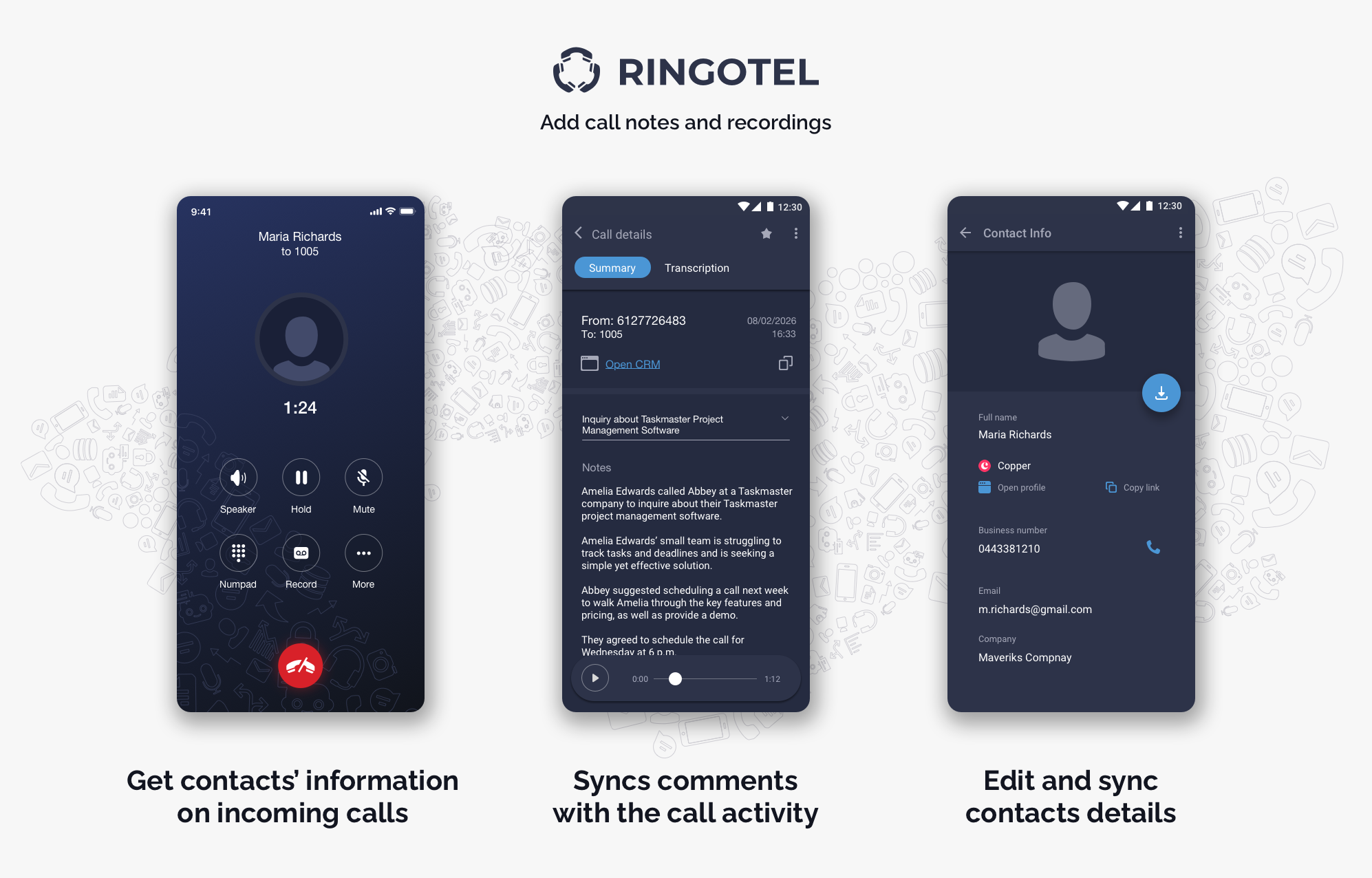
Ringotel for Copper: The Ultimate Communication Power-Up
The Ringotel integration for Copper CRM is designed to bridge the gap between your conversations and your data, ensuring your team stays focused on building relationships while the system handles the busywork.
Know Who’s Calling, Every Time
Stop guessing who’s on the other end. Ringotel instantly identifies contacts for both incoming and outgoing calls, pulling Copper’s data directly into your dialer. If a new prospect reaches out, you can create a contact record on the fly directly from the Ringotel mobile or desktop app—no need to switch tabs or lose your flow.
Automated Logging, Zero Friction
Ringotel automatically creates Activity entities for every interaction. Whether it’s a quick check-in or a deep-dive discovery call, the record is there. Even better, your call comments sync perfectly with the corresponding activity record in Copper, ensuring your notes are always where they belong: right next to the deal.
Seamless Workflow Integration
Efficiency is about reducing clicks. Ringotel provides direct links to open Contact and Activity entities in Copper with a single tap. Plus, with the ability to import Copper contacts into Ringotel user lists, your entire CRM directory is always in your pocket.
Key Benefits:
Eliminate Manual Data Entry: Auto-log calls and sync notes effortlessly.
Boost Productivity: Spend more time talking and less time navigating CRM menus.
Enhanced Mobility: Manage your Copper leads from any device, anywhere.




FAQ
Can’t find the answer here?
Chat with support.
CRM integration involves connecting other business applications with your CRM platform to feed data to, from or between your tech tools. Copper’s goal with CRM integration is to help you seamlessly sync the business software you use daily to your CRM to give you a complete, accurate snapshot of your business and customers.
Our integrations with Gmail, Google Calendar, Google Contacts and Google Drive are included with all plans. Most of our CRM integrations are included on Professional plans and above, but select integrations are available on Business plans only. Check the plan availability section in each listing to confirm.
Yes! You can set up integrations on a free trial. During your free trial, you will be using our CRM software on the Business plan to experience the full capabilities of Copper. Most of our CRM integrations are included on Professional plans and above, but select integrations are available on Business plans only.
[object Object]
If you work at a B2B software company and you’ve built an integration with Copper, email partners@copper.com to apply to be featured on our integrations marketplace. We’ll get in touch if the integration meets our entry requirements.
It depends on the integration! Check each integration listing page for more detailed instructions. In all cases, you’ll need to be an admin or account owner to set up integrations for your account.
Try Copper free.
Instant activation, no credit card required. Give Copper a try today.
