











CallPal
CallPal is a browser-based power dialer for Copper. Your People, Companies, Leads, Opportunities and Projects become calling lists, reps click-to-call or power-dial them on their own SIP trunk, and every finished call logs back as a Copper Phone Call activity.
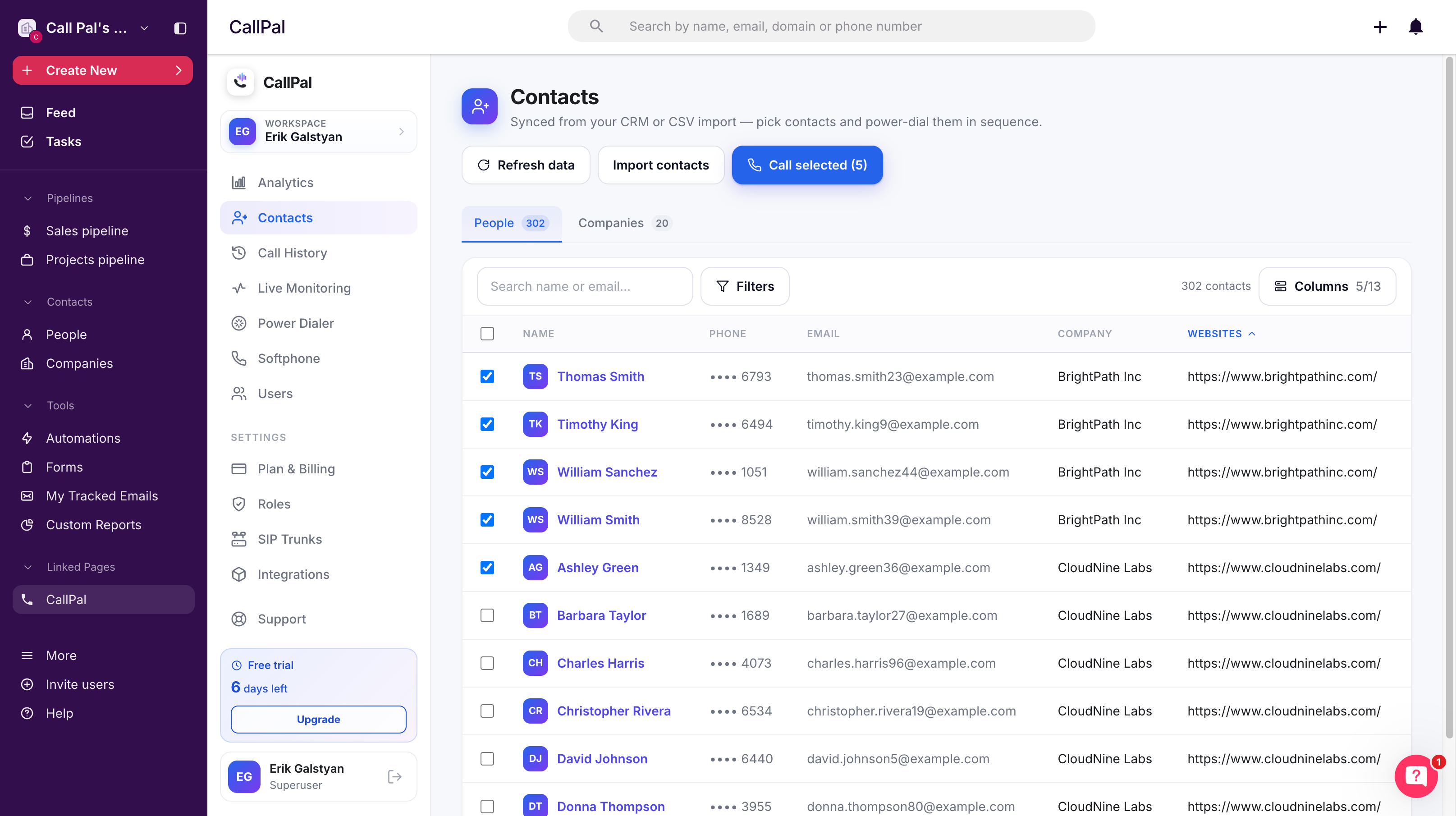
CallPal turns Copper into a calling platform without changing how your team works in Copper.
Connect your account and choose what to import. People, Companies, Leads, Opportunities and Projects all come across with their custom fields, and five of them are dialable — an Opportunity brings the person behind it, so "call everyone at this stage" is a selection rather than an export. The lists stay in step with Copper automatically, syncing changes every 30 minutes, and your own field names and layouts come with them.
Reps call from the browser. Click-to-call from any record, or select a list and start the power dialer, which moves to the next person the moment the last call ends. There is no softphone to install and no separate app to keep open.
Every finished call is written back to Copper as a real Phone Call activity on the record that was dialed, carrying the duration, the outcome and a link to the recording. That matters more than it sounds: because it is Copper's own activity type rather than a note, calls count in Copper's reporting, show up in your activity filters, and roll into whatever pipeline views your team already built.
The part that makes CallPal different from a bundled dialer is the carrier. Calls go out over your own SIP trunk, with your own caller ID and your own negotiated rates — CallPal sells no minutes and takes no cut of them. Teams that already have a phone provider keep it; teams that do not can choose any provider they like.
Also included:
- Call recording with a pause control for sensitive moments
- Optional pre-connect disclosure
- Full call history with recordings
- Live monitoring with listen
- Whisper and barge for coaching
- Analytics by rep and outcome so managers can see which lists actually convert
It suits Copper customers doing real outbound — agencies, recruiting, real estate and field sales — where the pipeline already lives in Copper and the only missing piece is the phone.



FAQ
Can’t find the answer here?
Chat with support.
CRM integration involves connecting other business applications with your CRM platform to feed data to, from or between your tech tools. Copper’s goal with CRM integration is to help you seamlessly sync the business software you use daily to your CRM to give you a complete, accurate snapshot of your business and customers.
Our integrations with Gmail, Google Calendar, Google Contacts and Google Drive are included with all plans. Most of our CRM integrations are included on Professional plans and above, but select integrations are available on Business plans only. Check the plan availability section in each listing to confirm.
Yes! You can set up integrations on a free trial. During your free trial, you will be using our CRM software on the Business plan to experience the full capabilities of Copper. Most of our CRM integrations are included on Professional plans and above, but select integrations are available on Business plans only.
[object Object]
If you work at a B2B software company and you’ve built an integration with Copper, email partners@copper.com to apply to be featured on our integrations marketplace. We’ll get in touch if the integration meets our entry requirements.
It depends on the integration! Check each integration listing page for more detailed instructions. In all cases, you’ll need to be an admin or account owner to set up integrations for your account.
Try Copper free.
Instant activation, no credit card required. Give Copper a try today.
