











Your best estimator has every client’s preferences memorized. Your project manager tracks follow-ups in a personal spreadsheet no one else can decode. And that promising lead from last week’s referral? It’s sitting in someone’s Gmail, waiting for a follow-up.
If any of that sounds familiar, you’re not alone, and you’re not stuck. A construction CRM keeps every client conversation, every lead, and every project detail in one place so nothing slips through the cracks, even when your team is spread across job sites.
This guide covers what a construction CRM actually does, the features that matter most for small and growing teams, and how to pick one that fits the way you already work (especially if your team runs on Google Workspace).
Key takeaways
- Construction CRMs provide pipeline tracking that helps businesses identify which projects to pursue and which to abandon, reducing wasted effort on low-probability bids.
- Centralizing customer data in a single CRM prevents information loss when employees leave and enables better forecasting, budgeting, and marketing analysis.
- The best construction CRM offers customization and integrations that match existing tools while remaining flexible enough to scale with business growth.
- CRM adoption fails quite often due to usability issues, making ease of setup and learning a top priority when selecting construction software, which is why Copper is built to work inside Gmail and Google Workspace from day one, so teams can get up and running in days, not months.
What is a construction CRM?
A construction CRM is software that tracks your leads, manages client communication, and organizes your sales pipeline from first contact through signed contract, and often well beyond.
Think of it as the system that replaces sticky notes, scattered spreadsheets, and the "I’ll remember to call them back" approach that quietly costs you real money.
What makes construction different from other industries is the relationship timeline. You might meet a property developer at an industry event this year, stay in touch through two projects they aren’t ready to fund, and finally land the contract two or three years later. That kind of long-term, multi-stakeholder relationship doesn’t fit in a generic 90-day sales pipeline. It needs a system built for how construction teams actually pursue and win work.
A good construction CRM tracks:
- New leads as they come in from your website, phone calls, referrals, or ads.
- Follow-up reminders so no lead goes cold while you’re on a job site.
- Pipeline stages like Site Visit Scheduled, Estimate Sent, and Contract Signed.
- Contact history so you know every conversation and touchpoint with a client.
- Lead sources so you know which channels bring you the best projects.
How a CRM helps construction teams win more work
- It stops leads from falling through the cracks. A homeowner calls while you’re on a job site. You mean to call back. You forget. A CRM captures every lead automatically and sends follow-up reminders.
- It gives you one place for every client conversation. Updates live in your foreman’s texts, your estimator’s email, and a phone call that never got documented. A CRM centralizes all of it.
- It protects your institutional memory. When your top BD person leaves, their client knowledge walks out the door. A CRM keeps every relationship, follow-up, and project history with your company.
- It tracks where your best projects come from. Without lead source tracking, you’re guessing where to spend your marketing budget. A CRM shows you which channels bring the jobs worth taking.
- It keeps estimates from sitting unanswered. Most estimates need two or three follow-ups. A CRM reminds you to check in so the job doesn’t go to a competitor who followed up first.
6 signs your construction team needs a CRM
- You’ve lost a job because someone forgot to follow up.
- Your follow-up process is "I’ll try to remember."
- Estimates sit without a second touch.
- You can’t answer basic pipeline questions in under a minute.
- Everyone on your team tracks things differently.
- Key client knowledge lives in one person’s head.
If you checked more than two, a CRM isn’t a "nice to have." It’s the thing standing between you and the jobs you’re already losing.
What a CRM does that your spreadsheet can’t
Let’s be honest: your real "current CRM" is probably a spreadsheet. Maybe it’s called something like LEADS_2026_FINAL_v3.xlsx. It sort of works, until it doesn’t. Here’s where spreadsheets fall apart for construction teams:
- Email logging: A spreadsheet only knows what someone types in. A CRM logs client emails automatically.
- Follow-up reminders: A spreadsheet can’t nudge you. A CRM reminds you when a lead or estimate needs a check-in.
- Team visibility: A spreadsheet shows whatever version someone last saved. A CRM gives everyone the same live view of the pipeline.
- Contact history: A spreadsheet holds a row of details. A CRM holds every conversation, file, and touchpoint with a client.
- Lead source tracking: A spreadsheet needs manual tagging and formulas. A CRM shows which channels bring your best projects.
- Mobile access: A spreadsheet is painful to update on a phone. A CRM lets your team update leads from the job site.
- Staff turnover: A spreadsheet’s context leaves with the person who kept it. A CRM keeps relationships with your company.
Spreadsheets are great for budgets and material lists. They’re terrible for managing relationships that span months or years, which is exactly what construction work demands.
So what should you look for once you’re ready to make the switch? Here are the top five things to look out for when choosing a CRM for your construction company.
How pipeline tracking helps you close the right projects
As any business owner and sales manager will know, the key to a healthy and successful business is the ability to maintain a healthy and strong sales pipeline.
The problem for many construction companies is that they often don’t have a system in place that gives them the visibility and information they need to maintain their pipeline. That’s why you’ll often find construction companies running into one of two recurring problems:
- Chasing contracts and projects they have little to no chance of winning or,
- Failing to follow up with projects they have a chance of winning due to inaccurate (or a complete lack of) information for customer success
In order to deal with this kind of customer service problem, most business owners and sales managers will adopt an ad hoc process, using a mixture of spreadsheets, pen-and-paper files, and legacy programs like Microsoft Outlook and Excel to varying degrees of effectiveness. (Here's how to get away from that.)
While intended to give managers an idea of what’s going on with their sales pipeline, the reality is that more often than not, all this ends up confusing them instead.
Which is why the very first thing you should look for in a CRM is the ability to help you keep track of your sales pipeline and customer satisfaction.
For example, a typical construction sales process in marketing will follow these steps:
- Sales lead - This is where you have to keep your ear to the ground and do as much research as possible to get potential projects in the pipe
- Qualification - Once you have an idea of what projects are available it’s time to figure out which ones are worth bidding on for professional services. This involves finding out everything from whether or not there is government funding, to the potential for profit, to if your firm has the resources available to take it on regardless of whether you are you working in a small business or provide other types of professional services.
- Needs identification - Bidding on projects is all well and good, but chances are there is going to be at least a few weeks of back and forth between your firm and the client. This is your chance to find out what the client needs and figure out how you can provide it to earn customer satisfaction.
- Proposal - If all goes well with the initial meeting, it’s time to move onto submitting an official proposal. In the construction industry, this stage of the sales pipeline can take months to sort through as you may need to have discussions with third parties like subcontractors, regulatory bodies, and various service providers.
- Closing - In an ideal scenario, you should have impressed the client enough to the point where you’re the only choice for their project. However, most likely, they’ll have created a shortlist of two or three other firms, or even small businesses, and now it’s up to you and other builders to show why you’re better than the rest. This can be the most frustrating and tricky part of the sales pipeline as this is oftentimes where (despite months of going back and forth and planning) deals can suddenly fall apart.
- The relationship - Even if you’ve managed to do everything right and moved someone all the way to the end of your sales pipeline, there’s no guarantee that they won’t decide to shut down the project halfway through or choose to go with a different firm. Now is the time where you have to keep your client as happy as possible, which can be a feat in and of itself.
As you can see, even for a small construction business with a short sales cycle, there are dozens of different moving parts to keep an eye on to achieve customer success. As you work to fill your sales pipeline with more leads, at the same time you’re also doing everything you can to move your prospects to the next stage using your construction CRM. Depending on how large your own business is, you can have anywhere from a few dozen to hundreds of different projects and bids going on at the same time at various stages of your pipeline.
A CRM should be able to equip your business with a birds-eye-view of potential leads, what projects you’re currently bidding on, and your current customers.
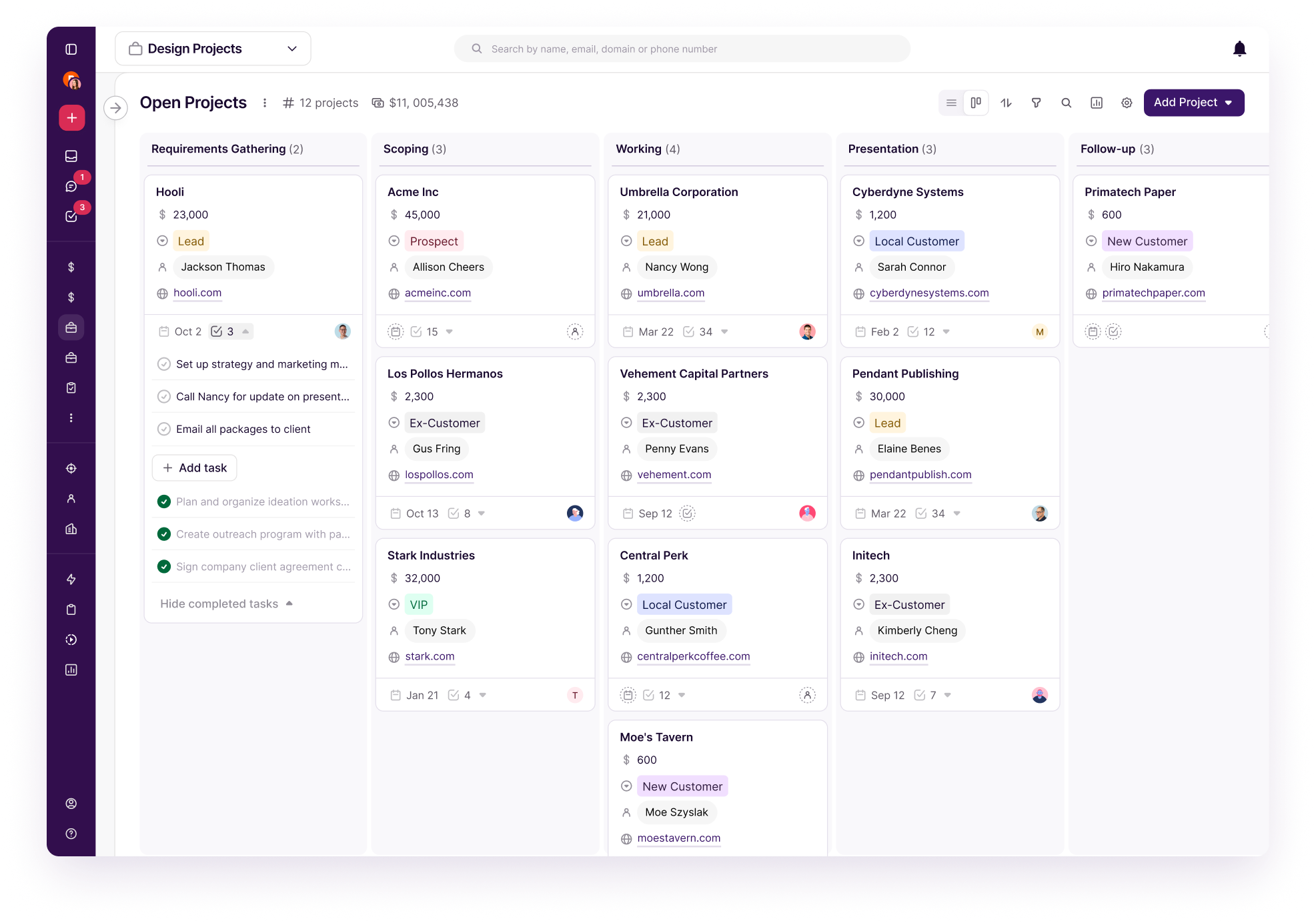
Even something as simple as being able to track how long each potential bid takes in each stage of your sales pipeline will allow your business to better predict which projects they’re likely to close and which ones they should give up on.
Project management tools keep your whole team aligned
In the typical sales process, a business sources a product from a supplier and then makes it available for the customer to purchase. In the construction business, however, this process is far more complex with the involvement of multiple suppliers and multiple subcontractors, not to mention the constant back-and-forth required between the business and the client.
With such a vast array of moving parts, it’s no wonder that things often get missed.
In order to streamline the whole process and move more efficiently, make sure to look out for a CRM that allows to you to map out and keep track of everyone involved, from teams all the way down to the individual level.
It's not just contact details either. The best CRMs make it easy for you to know what every individual is working on, and the tasks that each still needs to complete.
After all, if you're the project manager, your job is to create a flexible workflow where you’re able to allocate roles and responsibilities, assign tasks and their deadlines to individuals, and communicate easily with all team members.
For example, imagine being the site supervisor and having to continuously go back and forth between the architect, engineer, and construction manager to find out what is going on that day from each one. Using a CRM allows you (and every other member of the team) to instantly see what needs to be done and what everyone else is working on.
Too often with construction projects, particularly larger ones, it’s that lack of accountability and miscommunication that causes missed deadlines and preventable mistakes.
By using your CRM to help you manage your projects, you’re able to understand and prioritize what the most important tasks are, assign them to the right people, and ensure that they’re getting the most up-to-date information available.
Look for project tracking beyond the sale. Construction doesn’t end when the contract is signed. A CRM that also handles project delivery means you’re not juggling two separate systems.
Centralized data means client information is always within reach
For many commercial and private developers, their customer information is spread out over several spreadsheets and files.
Not only does this make finding and retrieving the right information a far more time-consuming task than it should be, but it also drastically increases the chances of miscommunication and mistakes.
When it comes to maintaining and improving a customer relationship, you need to be able to keep all their information in one place that’s easily accessible by whoever needs it at the time.
But, that’s simply impossible if you're using software that requires you to slog through multiple sources just to find that one key piece of information.
That's where a CRM really shines. And because your team isn't sitting at desks all day, look for a CRM that works on phones and tablets too, so leads and client details get updated from the job site, not hours later.
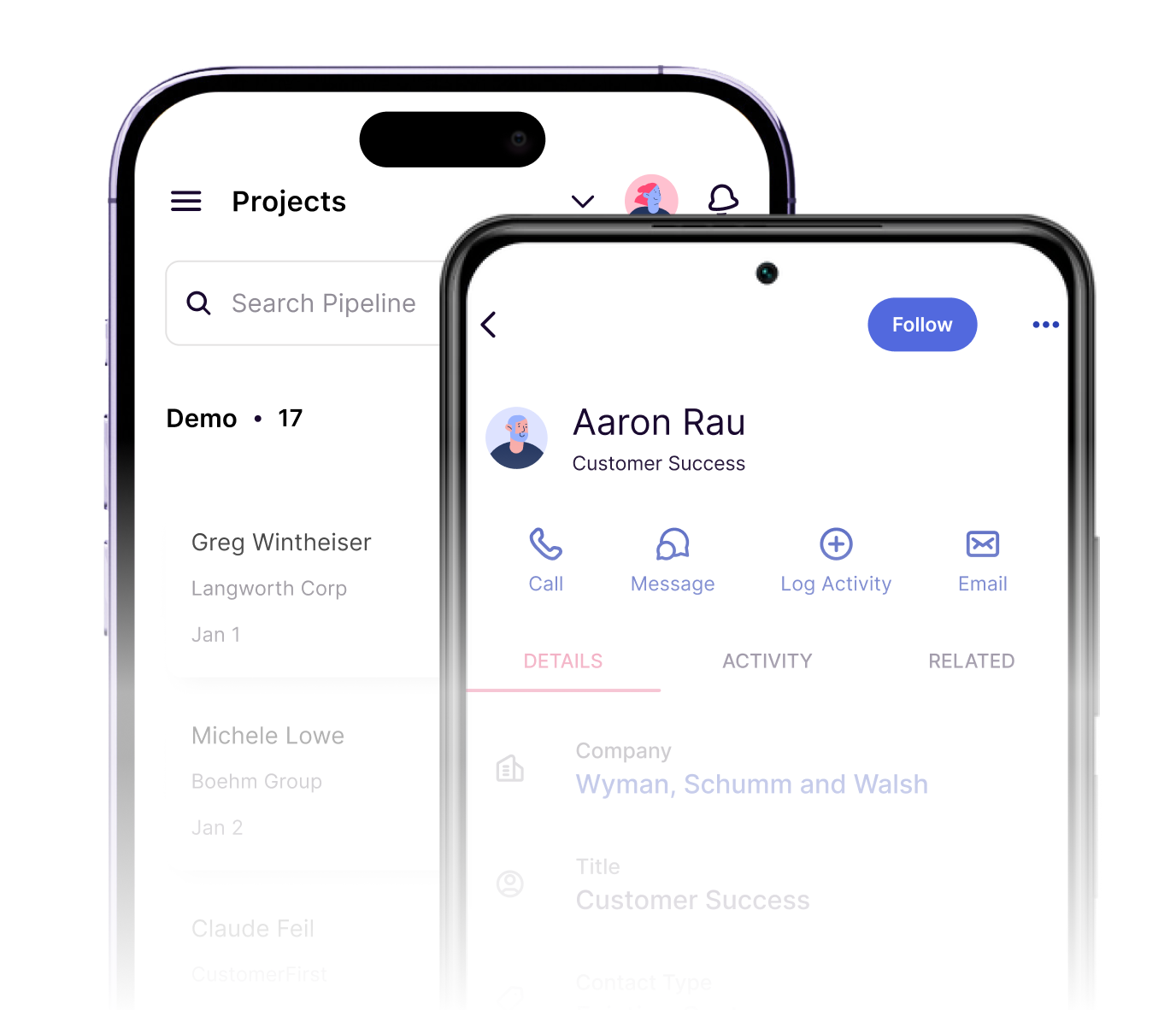
For example, if your salesperson leaves your company and takes all of their account information with them, what would you do?
Tamlyn, a building materials company, was able to keep the client because the remaining team could still access the conversations and information shared between the client and the former salesperson.
Another key benefit of centralizing all your data is that it makes it easier to focus on the bigger picture of the project and your business overall. CRMs with reporting features can help you crunch through all that data and provide key information such as budgeting, forecasting, the effectiveness of your marketing and sales campaigns, and even give you a stronger idea of what your ideal customer looks like.
Customization lets the CRM fit the way you actually work
In the same way that no two people are the same, or pieces of CRM software, so too are the needs of different businesses.
It might be tempting to go out and buy the biggest, baddest, most feature-rich CRM software out there for your construction projects, and and call it a day. But chances are that you probably won’t even use half of the features available and all you’ll end up is with a clunky piece of software that you’re paying way too much money for, and won’t have a positive CRM solution.
So, your best bet with construction CRM software is to look for a CRM that allows for a high degree of customization and flexibility in everything from the different types of integrations it allows to how you’re able to set up your projects’ workflows.
When shopping for construction CRMs, make sure to take a look at what kind features and of integrations they already offer and see if it lines up with any other tools that you’re currently using. If your team already lives in Gmail and Google Calendar, your CRM should too: look for a tool that surfaces client context right inside your inbox.
Also, keep in mind that as your business grows, so will its needs and the variety of challenges it faces, so choose a CRM that’s flexible enough to grow alongside your business. (Here are a few examples of construction software.)
Ease of use means your team will actually stick with it
Finally, despite all the bells and whistles a CRM can offer, none of it matters if you have no idea how to use it.
According to Really Simple Systems, up to 83% of senior executives stated that their biggest challenge when it came to CRMs was getting their staff to use it. This is especially true for larger, enterprise-style CRMs that can often feel like you need a whole team of engineers just to get it to work.
For construction companies that already have enough things to worry about, having everyone on your team take a few months off just to get a handle on your latest tech isn’t beneficial. The right CRM for your construction company and project manager is one that’s easy to set up, easy to configure, and easy to learn, as Tamlyn found out.
When it comes to finding the right CRM for your business and construction management, look out for what kind of onboarding and training they offer. Ideally, you’d get personalized training and a customer support team with the construction CRM software.
Why Google Workspace integration matters for construction teams
Here’s what a typical morning looks like without an integrated CRM: you check Gmail for a client’s email about a change order, then open a separate CRM tab to log the interaction, then switch to Google Drive to find the original scope document, then open your calendar to schedule a site visit. Four tools, four tabs, and a lot of context-switching before you’ve done any actual work.
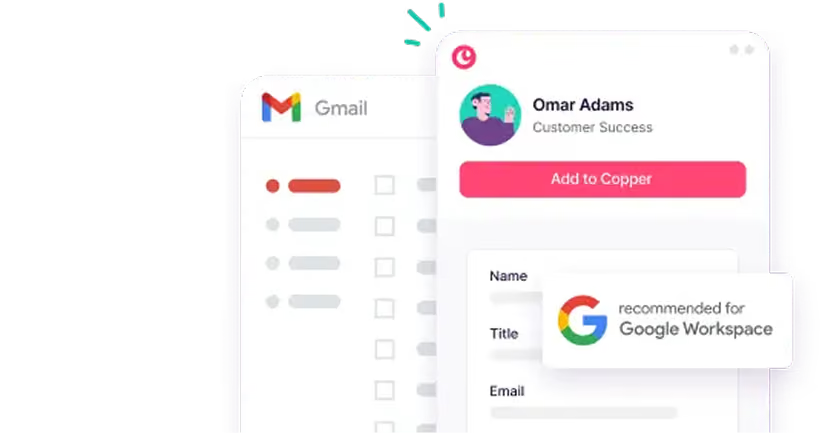
With Copper, your CRM lives right inside Gmail:
- Emails are automatically logged to the right contact and project.
- Google Calendar events link directly to client records.
- Google Drive files connect to the right project in your CRM.
- The Chrome extension brings CRM functionality to LinkedIn for networking.
The result? Your team actually uses the CRM, because it doesn’t feel like extra work.
Make the most out of your construction CRM.
While many in the AEC (architecture, engineering, construction) industry have been slow to adopt CRMs, what has become increasingly clear is that those who have made the jump are gaining the edge over their competitors, including those involved with construction management.
A CRM gives construction companies, including builders, the ability to nurture, prospect, close, and maintain client relationships more effectively than ever before, something that’s especially important in an industry where the success or failure of your business depends on your ability to win the right jobs and ensure a steady flow of work.
Whether you’re searching for your next bid, figuring out which project to follow up on, or simply looking for a simpler way to manage your latest construction project, the right CRM can help you take the guesswork out of providing strong customer service and growing your business.
Ready to stop losing leads between job sites and your inbox?
Copper is the only CRM that’s a Recommended for Google Workspace app, which means it works right inside the Gmail, Calendar, and Drive your team already uses every day. No complex setup, no steep learning curve, and no forcing your crew to learn an entirely new system.
Whether you’re a two-person remodeling team or a 40-person general contractor, Copper helps you track every lead, manage every client relationship, and deliver every project, without the chaos.