











GeoMaps
GeoMaps puts your Copper People and Companies on an interactive map. It geocodes your records, plots them as pins, and lets you build sales territories, plan routes, and visualize your pipeline — kept in sync, read-only. Open any record back in Copper in one click.
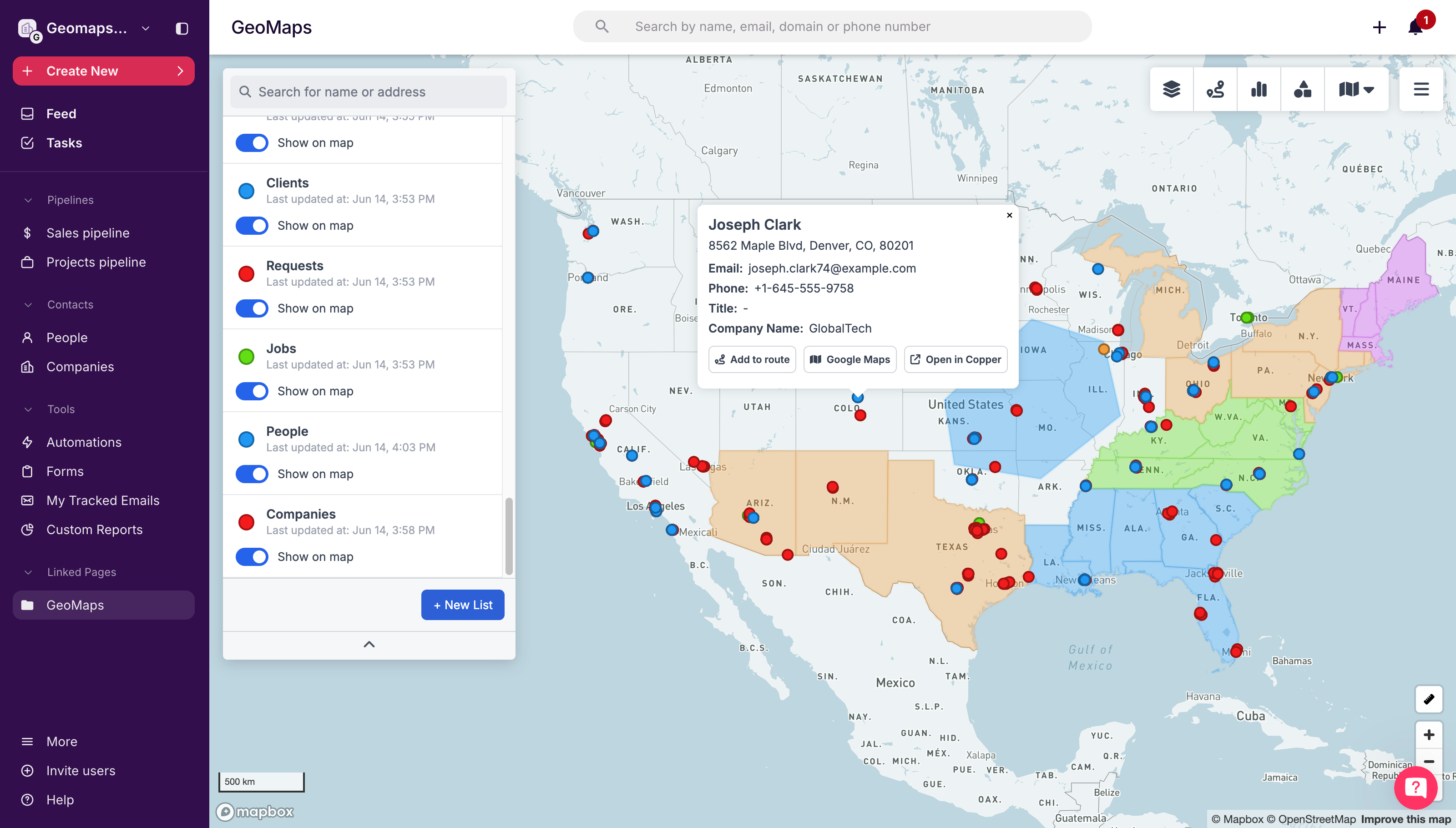
GeoMaps turns your Copper CRM into an interactive map. Connect your account in one click, and GeoMaps automatically places your People and Companies on a map by their address — no exporting and no spreadsheets.
See your whole pipeline at a glance. Draw and color sales territories, then filter your records by area. Plan the fastest multi-stop routes for your reps so they spend less time driving and more time in front of customers. Use heatmaps to see where your business is concentrated, and dashboards to keep an eye on the numbers that matter. Click any pin to jump straight to that record in Copper.
GeoMaps only ever reads your Copper data — it never changes, adds, or deletes anything — and your map stays up to date as your records change.
It's a natural fit for Copper customers whose work is tied to location — real estate, agencies, consulting, and field sales teams — who want to see their pipeline on a map and get to the right doors faster.
Getting started takes about a minute: open GeoMaps, choose Copper, sign in, and your People and Companies are on the map.



Frequently asked questions
Can’t find the answer here?
Chat with support.
CRM integration involves connecting other business applications with your CRM platform to feed data to, from or between your tech tools. Copper’s goal with CRM integration is to help you seamlessly sync the business software you use daily to your CRM to give you a complete, accurate snapshot of your business and customers.
Our integrations with Gmail, Google Calendar, Google Contacts and Google Drive are included with all plans. Most of our CRM integrations are included on Professional plans and above, but select integrations are available on Business plans only. Check the plan availability section in each listing to confirm.
Yes! You can set up integrations on a free trial. During your free trial, you will be using our CRM software on the Business plan to experience the full capabilities of Copper. Most of our CRM integrations are included on Professional plans and above, but select integrations are available on Business plans only.
[object Object]
If you work at a B2B software company and you’ve built an integration with Copper, email partners@copper.com to apply to be featured on our integrations marketplace. We’ll get in touch if the integration meets our entry requirements.
It depends on the integration! Check each integration listing page for more detailed instructions. In all cases, you’ll need to be an admin or account owner to set up integrations for your account.
Try Copper free.
Instant activation, no credit card required. Give Copper a try today.
