











Key takeaways
- Dubsado works well for small teams and solopreneurs but lacks advanced features like email automation, real sales pipelines, and lead generation capabilities that growing businesses require.
- Six clear signs indicate when to upgrade from Dubsado: team growth challenges, complex sales pipeline needs, demand for detailed data insights, business model evolution beyond one-off projects, reliance on multiple disconnected apps, and difficulty tracking client relationships.
- Copper CRM offers seamless Google Workspace integration, advanced automation, visual sales pipelines, and customizable reporting that addresses the limitations businesses face when outgrowing Dubsado.
- The transition from Dubsado to a more advanced CRM like Copper represents business growth success rather than tool failure, requiring evaluation of current needs, trial testing, migration planning, and team involvement for optimal results.
Dubsado is great at one thing: getting new clients through the door. Forms, contracts, invoicing: it handles intake like a pro.
But here’s what happens next. The client signs, and suddenly you’re rebuilding everything in a separate project tool. There are no Kanban boards, no task dependencies, and no way to see where that relationship stands six months from now. Dubsado’s task view stops at a basic list, so the real work ends up scattered across tabs, spreadsheets, and Slack threads.
If that sounds familiar, it might be time for a Dubsado alternative that manages the entire client journey, from first conversation to project delivery, without ever leaving Google Workspace. Here’s how to know when it’s time to upgrade.
Why Dubsado is a great starting point
Dubsado is a solid client management platform for creatives because it keeps contracts, invoicing, project management, and forms under one roof. It simplifies workflows and reduces the need to jump between multiple tools.
But as your business expands and your team grows, you might start feeling boxed in by its limitations.
Here’s the deal:
- No email automation: With Dubsado, every follow-up and nurture email has to be sent manually.
- No real sales pipelines: You’re left piecing together where each lead stands.
- No lead gen capabilities: Dubsado assumes every contact is already a customer.
So while it works for managing a small number of existing clients, it’s not built to track and convert leads at scale. If that’s becoming a problem for you, if you’re hitting roadblocks in collaboration, sales tracking, or reporting, it may be time to move on.

6 signs you’ve outgrown Dubsado and it’s time for an upgrade
So, how do you know when it’s time for an alternative to Dubsado? Here are the telltale signs:
1. Your team has grown, but Dubsado hasn’t kept up
Dubsado is fantastic for solopreneurs and tiny teams, but once your business expands, collaboration can start feeling messy. You’re constantly digging through projects to find tasks, struggling to keep everyone on the same page, and feeling like client communication is slipping through the cracks.
If managing your team has turned into an organizational headache, it’s a clear sign you need a CRM that’s built for seamless teamwork, without the chaos.
Your team still hasn’t fully adopted the tool. One of the most common complaints about Dubsado is its learning curve. The interface isn’t always intuitive, and getting your team to actually use it can feel like a project in itself.
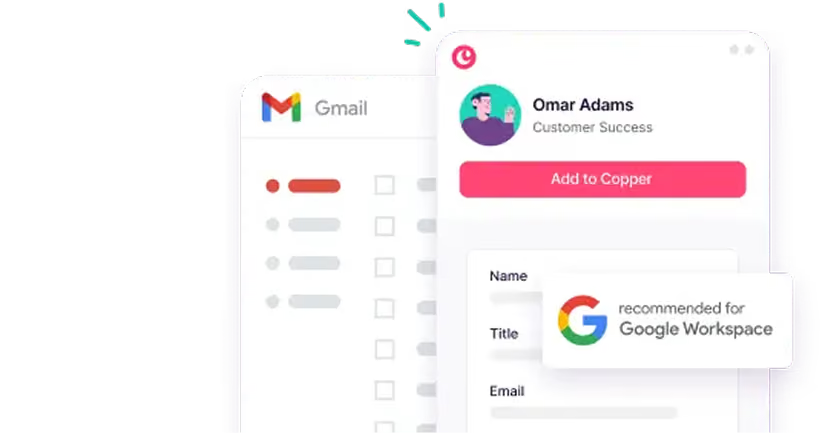
Copper works differently because it lives inside the tools your team already knows: Gmail, Google Calendar, and Google Drive. There’s no new interface to learn. You and your team just keep working the way you already do, with CRM built right in.
2. Your sales pipeline feels more like a maze than a streamlined process
When you were just starting out, keeping track of leads and clients in Dubsado was easy. But as your business grows, you're juggling more inquiries, diving into outbound lead generation, and suddenly…you’re patching together workarounds just to keep tabs on where prospects are in your sales process.
That’s because Dubsado was built to manage existing clients, not to handle the whole journey from lead to closed deal and beyond. If your pipeline involves nurturing leads, sending proposals, following up, and sealing the deal, Dubsado might not be the smoothest tool to keep things moving efficiently.
There’s no drag-and-drop pipeline, no stage-based visibility, and no easy way to know which prospects need follow-up this week. If you’re managing new business in a spreadsheet alongside Dubsado, that’s a sign you’ve outgrown it. With Copper, your entire pipeline lives in the same place you manage client work, and it’s connected to Gmail, so every conversation is automatically logged to the right deal.
3. You need real data insights, not just basic reports
At some point, “just getting by” with reports that come out-of-the-box won’t cut it. You need to see which leads convert fastest, where your revenue is coming from, and how to forecast future growth. If pulling meaningful data out of Dubsado feels like an uphill battle (or worse, if you’re manually crunching numbers in Google Sheets), it’s time for a CRM that gives you the power to customize your reports exactly how you need them.
4. Your business has moved beyond one-off projects, and you need a system that grows with you
Dubsado is built for project-based businesses, but if your revenue now comes from long-term retainers, subscription services, or multi-stage client relationships, you might be feeling its limitations. Managing ongoing contracts, recurring invoices, and client touchpoints shouldn’t feel like a workaround. You need a tool that can grow with you, not hold you back.
You’re creating a new project from scratch for every single client. In Dubsado, each engagement starts with a blank slate: new project, new task list, new invoice setup. That works when you have five clients, but when you’re juggling 20 or 30 relationships at once, the manual setup adds up fast.
Copper takes a different approach. Your clients, conversations, and project history all live in one place. When a past client comes back with a new engagement, everything you need is already there, with no rebuilding required.
5. You’re drowning in multiple apps just to get things done
Dubsado is great at handling contracts and invoicing, but when you also need email tracking, reporting, and seamless task management, you probably find yourself jumping between tools. If your workflow involves Gmail for communication, another tool for pipeline tracking, and spreadsheets for reporting, it’s time for a CRM solution that connects everything effortlessly.
You’re paying for Dubsado but still need extra tools. Dubsado’s pricing isn’t unreasonable on its own, but when you factor in the separate tools you still need for pipeline management, project tracking, and team collaboration, the real cost adds up quickly.
Copper consolidates all of that into one platform. You get CRM, pipeline management, and project delivery in a single tool that’s built for how professional services teams actually work. That means fewer subscriptions, fewer tabs, and more time focused on your clients.
6. You’re constantly playing catch-up with client relationships
When you’re managing more clients than ever, keeping track of past interactions, follow-ups, and project statuses can feel overwhelming. If you’ve ever forgotten to follow up with a lead or had a deal slip through the cracks, it’s not you, it’s your system.
A CRM like Copper automatically logs every email, meeting, and client touchpoint, so you never have to scramble to remember where you left off. Copper also helps automate your recurring outreach, like automatically responding to prospects when they fill out your website form, or sending an email to connect with a past client you haven’t spoken to in a while.
Why Copper could be your next CRM
So what does the right upgrade actually look like? It’s a tool that keeps the parts of Dubsado you liked (automation, contact tracking, streamlined communication) and adds everything you’ve been missing.
Here’s what Copper gives you that Dubsado doesn’t:
- Seamless integration with Google Workspace: If you use Gmail, Google Calendar, or Google Drive, Copper integrates effortlessly, becoming a natural extension of your workflow. Contacts sync automatically, emails log themselves, and Copper is a Recommended for Google Workspace app.
- Collaboration-friendly tools: Copper simplifies managing larger teams, making it easy to assign tasks, track client histories, and collaborate effectively.
- Seamless automation: Copper can send emails on your behalf to connect with new prospects or keep up with previous clients. It can also automatically create tasks and reminders as prospects make their way down your sales pipeline.
- Advanced sales pipelines: Visual pipelines, automated follow-ups, and reminders keep your sales process smooth and efficient.
- Full project management after the close: Transition from winning a deal to delivering the work without switching tools or rebuilding anything.
- One place for your entire client history: Every email, note, file, and task tied to a client is in one record. When a relationship spans years and multiple projects, you’ll always have the full picture.
- Customizable reporting: Copper’s dashboards give you deep insights into your business performance, helping you make data-driven decisions.
- A tool your team will actually use: No steep learning curve, no wrestling with non-intuitive UX. If you can use Gmail, you can use Copper.
Ready to make the switch?
Dubsado has served your business well, but growth calls for tools that can keep up with your expanding needs. Transitioning to a more advanced CRM isn’t about saying goodbye to Dubsado. It’s about saying hello to greater efficiency, scalability, and clarity.
Here’s how to make the transition seamless
- Evaluate your needs: Identify the features you need to support your next stage of growth.
- Try Copper: Explore a trial to see how it fits into your business operations. With our trial, you get 14 days free!
- Plan your migration: Map out your current processes, organize your data, and involve your team in the transition.
- Embrace the upgrade: Enjoy the benefits of a system designed to support and scale.
Ultimately, growth is a sign of success
Dubsado helped you get started. It gave you forms, contracts, and a system for onboarding clients. But if you’re spending more time managing your tools than managing your relationships, that’s a sign you’re ready for something more.
Copper is the only Recommended for Google Workspace CRM and the only CRM backed by Google Ventures. It’s built for professional services teams like yours who want to manage the entire client journey, from the first email to the final deliverable, without leaving the tools you already use every day.