
You walked the site Tuesday morning. You sent the number Tuesday night. By Friday, nobody's called back, and the notes from that walkthrough are still on a legal pad in your truck.
That's the gap a construction CRM with mobile integration is supposed to close. Not the build. Your project management software already runs the build. The gap is everything around it: who you bid to, what you promised, who owes you a call, and who sends you the next job.
Most contractors who've tried a CRM know how this goes. It works fine at a desk. Then the estimator is on a roof, the PM is at a jobsite with one bar of signal, and nobody opens the app again. This guide covers what mobile integration should actually mean for a construction team, the features worth paying for, and how to pick one your people will use.
What construction CRM software with mobile integration means
A construction CRM tracks the work before the work: bids, GCs, clients, follow-ups and the relationships that send you jobs. It's the record of who you bid to, what you sent, and what happened next.
That's a different job from project management and field service software. Procore, Buildertrend and ServiceTitan run the build. They handle schedules, RFIs, dispatch and punch lists. A CRM wins the work and keeps the client coming back. Most large contractors need both, and the two should sit side by side, not compete.
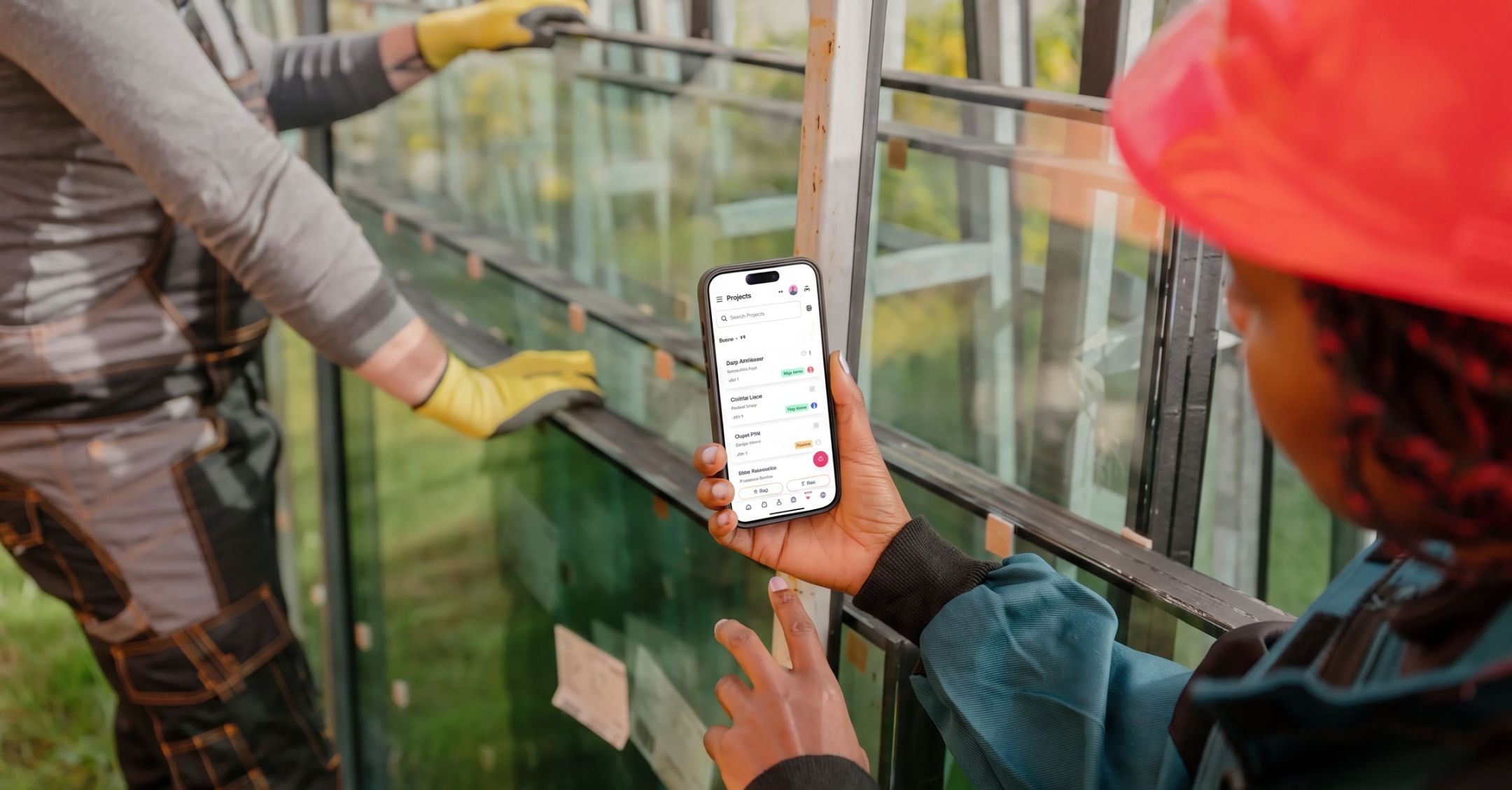
Mobile integration means the CRM works fully on a phone or tablet, not as a stripped-down afterthought. Your estimator should be able to update a bid from the parking lot. Your PM should see a client's history before walking into a meeting. And whatever they log in the field should show up in the office without anyone typing it in twice.
If you've tried a CRM before and your team stopped using it, mobile is usually where it broke. The office kept it up. The field never touched it. So the record was only ever half true.
The features that matter most in a mobile construction CRM
Plenty of software claims a mobile app. These are the features that decide whether your team actually uses it in the field. We've kept the focus on the CRM side of the work: bids, clients, GCs and follow-ups. Where your project management or field service tool already covers a need, we say so.
Logging site visit notes and photos to the client record
After a walkthrough, your estimator or PM should be able to add notes, photos and next steps to the client or bid record before they leave the lot. The office sees it right away, not at the end of the day or the end of the week.
This matters most before the award. The photo of the existing conditions, the owner's offhand comment about budget, the GC who said "we'll have drawings Monday." That context shapes your number and your follow-up. Once the job is running, day-to-day progress usually belongs in your project management tool.
Offline access for spotty job site connectivity
Offline access lets you view and edit CRM records with no Wi-Fi or cell signal. Changes sync on their own once you're back in range.
If your crews work in basements, rural sites or new subdivisions with no towers nearby, this isn't a nice-to-have. An app that spins on a loading screen gets closed and forgotten. Ask each vendor exactly what works offline. Some let you read records but not edit them.
E-signatures and mobile document capture
A signed change order sitting in a folder at the office isn't worth much when the dispute happens on site. Mobile document capture lets your team photograph or upload signed approvals, change orders and contracts from a phone and attach them to the right record.
Some CRMs handle e-signatures directly. Others connect to a dedicated tool like DocuSign or PandaDoc. Either works, as long as the signed copy ends up on the client record where everyone can find it. Less chasing paper, fewer "I never agreed to that" conversations.
Client and GC history on your phone before every visit
Before a site visit, a service call or a chat at a trade show, your PM, service manager or rep should be able to pull up the full history on their phone: past bids, emails, calls and open work. Thirty seconds of reading saves you from asking a client something they already told you twice.
Egan Company does this with Copper's mobile app. Their on-call techs check a client's history before picking up an after-hours call, so they know who they're talking to and what's been done before.
Crew GPS tracking and dispatch are a different job. Your field service software usually handles those.
Pipeline and lead management from your phone
Your estimator just met a developer at a site. They should be able to add the new lead, update the bid status and set a follow-up date from the truck. Not three days later when they're back at a desk and half the details are gone.
Follow-up reminders matter most here. You spent hours on the number. A reminder on every open bid means it doesn't sit in a GC's inbox while your estimator is on another site.
Two-way sync with email and calendar
The best mobile CRMs connect to your email and calendar and log the activity for you. Emails to a GC, calls with an owner and site meetings land on the right record without anyone copying and pasting.
This is the feature that decides adoption. Field-heavy teams stop using a CRM because it asks them to type everything twice, once in the email and again in the CRM. If your team runs on Google Workspace, look for a CRM that works inside Gmail and Google Calendar, like Copper, so the record fills itself in from the work they're already doing.
How to choose the right construction CRM with mobile integration for your team
Even at a large contractor, there's usually no sales ops team. Your operations manager owns the CRM along with five other systems. So the right choice is the one that fits how you already work and doesn't need a full-time admin to keep it alive. Here's how to get there.
1. Map out how your field and office teams actually work
Before you look at a single demo, write down how information moves today. Who needs to see what, and when? Where does it live right now: a spreadsheet, a whiteboard, someone's inbox?
Pay close attention to the handoffs. Estimator to PM. Office to field. Won bid to project team. That last one is where details go missing. The scope note, the owner's preference, the promise your estimator made on the walkthrough. If the CRM can't carry that context through the handoff, it's not solving your problem.
2. List the tools your CRM needs to integrate with
Make a list of what you already run: accounting, estimating, email, calendar, project management. Then check that the CRM connects to each one.
The CRM should work alongside Procore or Buildertrend, not try to replace them. Keep the tool that runs the build. Add the one that tracks the bid. Integrations with Google Workspace and QuickBooks matter most, because that's where duplicate entry piles up fastest.
3. Test the mobile app with your crew before you buy
Don't let the office pick the app alone. Hand the trial to the people who will use it every day: your PMs, estimators and service managers. Have them log a site visit, update a bid and look up a client's history from their own phones, on an actual jobsite.
Watch what they do, not what they say. If they have to stop and think, they'll stop using it. A CRM that captures emails and calls on its own gets adopted faster, because nobody has to key in data by hand at the end of a long day.
4. Compare pricing against your team size and feature needs
Most CRMs charge per user, per month, with features split across tiers. Count how many people need a seat. Then check which tier includes the features you actually need, like mobile access, email sync and custom pipelines.
Be careful with enterprise plans built for 500-person firms. Advanced forecasting and complex permission layers sound good in a demo. Even a large contractor rarely uses them, and you'll pay for them every month anyway.
5. Check that pipelines fit how you bid and sell
You don't need a CRM with "construction" in its name. You need one you can set up around how you work. Look for pipelines, stages and automations you can shape to:
Flexible pipelines matter more than a construction label. A tool built for one kind of contractor often doesn't fit the way you actually bid.
The best construction CRM software with mobile integration
There's no single right answer. It depends on what you already run and what kind of work you chase. Here are three options worth a look, with a straight take on where each one fits.
Copper
Copper is the CRM that lives inside Gmail, and the only CRM that's a Recommended for Google Workspace app. It tracks every bid and GC with follow-up reminders, and it logs emails, calls and meetings from Gmail and Google Calendar automatically. So when an estimator or PM moves on, the client history stays with the company.
The mobile app puts full client history in the field. Egan Company's on-call techs use it before after-hours calls. Copper is a strong fit for specialty contractors and builders on Google Workspace who want to keep their project management software for the build and use Copper for the bid. Teams that live in Gmail are usually up and running in days.
JobNimbus
JobNimbus is built for roofing and exterior contractors, and covers the job from first lead to final payment. The mobile app is its strong suit: crews can take inspection photos, get estimates signed, collect payments and keep working offline. If roofing is your core trade, it can run most of the business. If you bid commercial work to several GCs, you may still want a CRM built around bids and relationships.
Buildertrend
Buildertrend is construction management software for home builders, remodelers and specialty contractors, with sales and lead tools built in. The mobile app covers scheduling, daily logs, client communication and documents. It's a solid tool to keep for the build. If you sell to several GCs or chase commercial work, a dedicated CRM can handle bids and GC relationships alongside it.
Give your crew a mobile CRM that keeps every job on track
The right construction CRM with mobile integration keeps the field and the office looking at the same record, without adding admin to anyone's day. Notes from the walkthrough land on the bid. Emails to the GC log themselves. The follow-up reminder shows up before the number goes cold.
Feature count matters less than fit. Keep the project management software that runs the build. Pick a CRM that works where your team already works, inside Gmail and on their phones, so it gets used in the truck and not just at a desk.
Your PM software builds the job. Copper wins the next one.