A rooftop unit quits at a 40,000-square-foot office building on a Friday afternoon. Your dispatcher has a tech on the roof within two hours. Your field service software logs the call, the parts and the invoice. That part works.
Now the harder questions. Who at that building approved the replacement quote you sent in March? When does their maintenance agreement come up for renewal? And did anyone follow up on the number you sent their GC for the tenant buildout next door?
That second set of questions is what an HVAC CRM answers. If you run a growing heating and cooling business, you probably already have software that runs the work. This guide explains what each tool does, where they overlap, and how to tell whether you need a CRM, field service software, or both.
Key takeaways
- An HVAC CRM manages the relationship. Customers, contacts, quotes, bids, follow-ups and renewals.
- HVAC field service software manages the work. Scheduling, dispatch, work orders, equipment history and invoicing.
- The overlap is shallow. Both store contacts and send reminders, but neither does the other's job well.
- Most HVAC contractors with a sales or estimating team need both. Keep your field service software for the job. Use a CRM for the quote, the bid and the next job.
What is an HVAC CRM?
An HVAC CRM (customer relationship management software) is where a heating and cooling business keeps track of its customers and its sales. It holds contact details, communication history, open quotes and bids, and the follow-ups that turn a quote into a signed job.
Think of it as the relationship layer. It answers questions like:
- Who is this customer, and who else at their company or property do we deal with?
- What have we quoted them, and what did they buy?
- When did we last talk, and who owes who a call?
- Which GCs, property managers and builders send us the most work?
A CRM doesn't dispatch techs or run work orders. Its job ends where the work begins, and picks up again when it's time to sell the next job.
What is HVAC field service software?
HVAC field service software is the operational layer. Platforms like ServiceTitan, Housecall Pro, FieldEdge and Jobber schedule technicians, dispatch jobs, track work orders, store equipment history and take payment on site.
It answers a different set of questions:
- Which tech is closest to this no-heat call?
- What's on the truck, and what needs to be ordered?
- What did we install at this address, and is it under warranty?
- Has this job been invoiced and paid?
In short, field service software gets the work done. A CRM wins the work and keeps the customer coming back.
Core features every HVAC CRM should include
These are the CRM features that matter for an HVAC contractor. We've kept field service features out of this list on purpose. They're covered in the next section.
Contact and customer management
This is the foundation. Every customer, property, decision maker and service preference sits in one searchable record, so your office, estimators and service managers aren't each keeping their own list. For commercial work, that includes the property manager, the facilities director and the GC who brought you in.
Quote and bid tracking
A CRM tracks every quote from the first call to a signed contract, so you always know what's out, what's due and what's gone quiet. For commercial mechanical work, that includes one job quoted to several GCs. A clear sales pipeline shows each quote by stage, so nothing sits in someone's inbox for three weeks.

Email and communication history
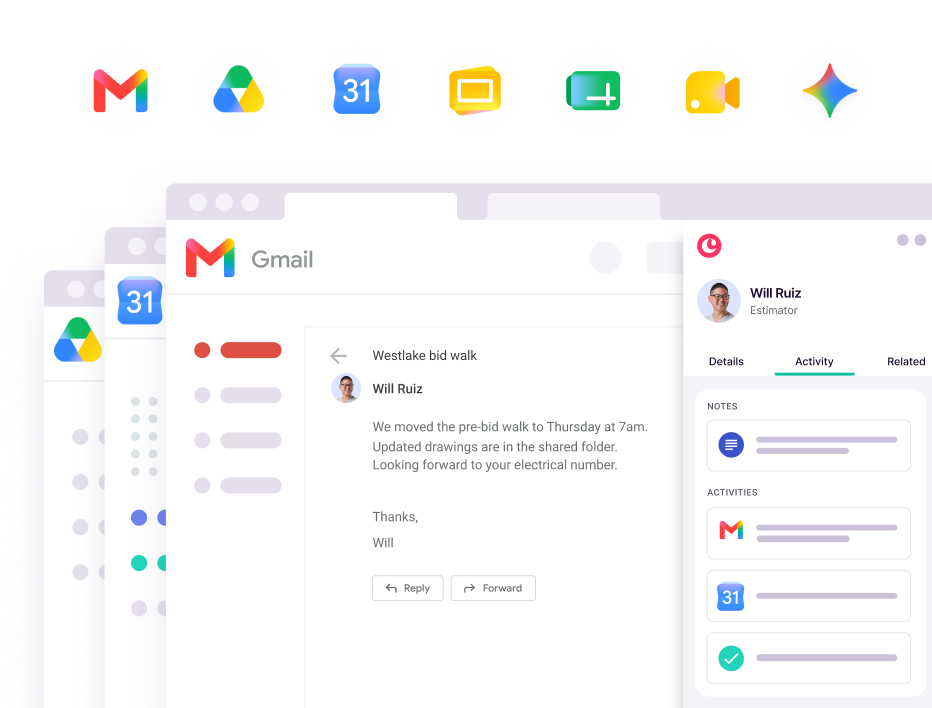
The best CRMs log emails, calls and meetings for you. Anyone on your team can open a customer record and see the full conversation, without asking the estimator who sent the quote. When that estimator leaves, the history stays with the company, not in their inbox.
Automated follow-up reminders
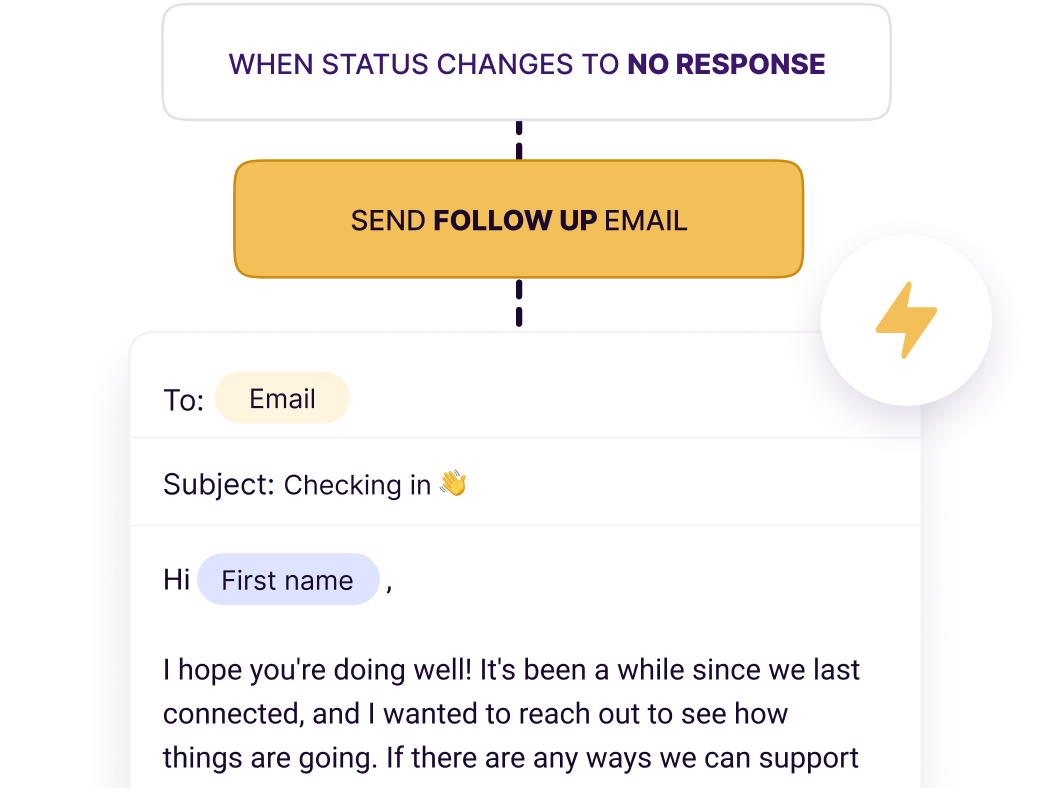
A CRM can remind you to call back on an open quote, book seasonal tune-ups before the rush, chase a maintenance agreement before it lapses and ask for a review after a job. You set the rule once. The reminder shows up every time.
Reporting on customer and revenue trends
Dashboards show which customers bring in the most revenue, which GCs actually award you work, and where quotes stall. When the owner asks "what's our hit rate on replacement quotes this year?", someone can answer in a minute instead of rebuilding a spreadsheet.
Core features every HVAC field service platform should include
Field service software runs the day. These are the features to look for on that side of the business.
Technician scheduling and dispatch
Drag-and-drop calendars, live tech locations and the ability to reshuffle the board when an emergency call comes in. On a 95-degree day, this is the screen your dispatcher lives on.
Mobile app for field technicians
Techs need job details, site notes, customer history and forms from the truck. If the app is slow or hard to use, they'll call the office instead, and your dispatcher becomes the app.
Work orders and job management
Jobs move from assigned to in progress to complete, with checklists, photos and notes along the way. The office sees the status without chasing anyone.
Maintenance agreement tracking
Field service tools track recurring service contracts: which customers are covered, what's included and who's due for a visit. This keeps your spring and fall maintenance schedules full.
Invoicing and payment processing
Techs build the invoice on site and take a card before they leave. Fewer unpaid jobs, faster cash.
Equipment and service history by customer
Model and serial numbers, install dates, warranties and past service notes, tied to each property. When a tech arrives, they know what's on the roof before they climb up.
Where HVAC CRM and field service software overlap
The line between the two is blurry. Many field service platforms include basic CRM features, and some CRMs offer light scheduling. The overlap usually covers three areas:
- Contact storage: both keep customer names, addresses and phone numbers.
- Basic communication: both can log notes or send appointment reminders.
- Reporting: both offer some view of how the business is doing.
The overlap is often shallow. A field service tool's CRM features may not track quotes by stage, log your emails or show you which GCs you win with. A CRM's calendar won't optimize a dispatch board or route techs. Each tool is strong where it was built to be strong, and thin everywhere else.

When your HVAC business needs a CRM, field service software, or both
The answer depends on three things: how big your team is, whether you do residential or commercial work (or both), and where things break down today.
Signs you need a standalone HVAC CRM
You may need a CRM first if:
- Quotes go out and nobody follows up until the customer calls back, or doesn't.
- Your bid log lives in a spreadsheet one person updates.
- You can't say how many quotes are open right now, or what they're worth.
- Customer history lives in one estimator's or comfort advisor's inbox.
- You bid commercial work to several GCs and lose track of who got which number.
This often fits HVAC businesses where sales, estimating or commercial bidding is the bottleneck, not dispatch.
Signs you need field service software
Field service software comes first if:
- You dispatch techs every day and the board runs on a whiteboard or group texts.
- Service calls get missed or double booked.
- Techs can't see equipment history or job notes from the truck.
- Invoices go out days after the job, or not at all.
Here, the pain is operational. Fix the day-to-day work before you worry about the sales side.
Signs you need both CRM and field service tools
You probably need both if:
- You have estimators, comfort advisors or a pre-construction team separate from the service department.
- You do commercial work, where jobs are won through GCs, property managers and long bid cycles.
- You sell maintenance agreements and want renewals to happen on purpose, not by luck.
- You're growing past one office or one division, and leadership needs one view of every customer.
Most growing HVAC contractors already run more than one system. In ServiceTitan's 2026 Commercial Specialty Contractor Industry Report, 34% of commercial contractors said they use two to three systems and 25% use four to six. Only 20% run everything on a single platform.
If you go with both, the connection between them matters. Make sure customer records don't have to be typed in twice. Look for a CRM that connects to your other tools through native integrations, Zapier or an open API.
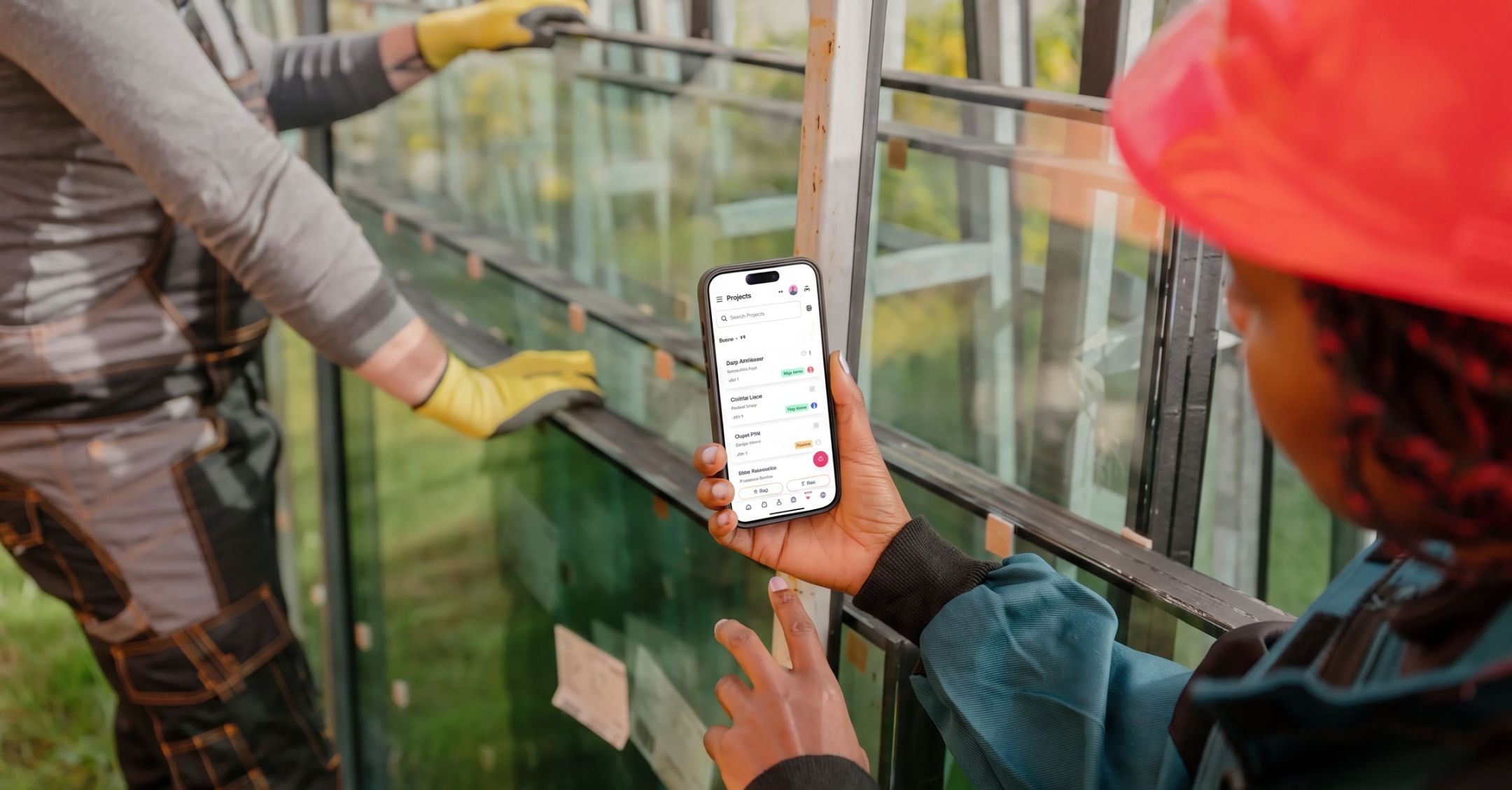
Egan Company, a Minnesota specialty contractor with mechanical, electrical, glazing and other trade groups, runs this way. Each operating group has its own pipeline in Copper, and leadership sees all of them in one place. Egan used Copper's open API to connect the CRM to its own job creation platform, and its on-call techs check a customer's history in the Copper mobile app before picking up an after-hours call.
"We didn't want users keying information in manually anymore, and we wanted the AI piece of pulling data automatically from Gmail." Jessica Johnson, Director of Marketing, Egan Company
Choose the HVAC CRM that works next to your field service software
Whether you need a CRM, field service software or both comes down to how your team works and where things go wrong today. Field service software keeps the trucks moving. A CRM keeps the quotes, bids, renewals and relationships moving.
For most growing HVAC contractors, the right setup is simple:
- Keep your field service software for dispatch, work orders and invoicing.
- Add a CRM for quotes, bids, GC relationships and follow-ups.
- Pick one your team will actually open, so the record stays complete.
If your team already works in Google Workspace, a CRM that lives inside Gmail and Google Calendar is the easiest to adopt. Copper logs emails and meetings for you, puts a follow-up on every quote, and gives your field team customer history on their phones. Nothing new to learn, and no typing it in twice.
Your field service software runs the job. Copper keeps track of who you quoted, who owes you a call and who sends you the next one.
Related reading: The best CRM for construction companies in 2026 and How to choose construction CRM software with mobile integration.