









Your CRM was supposed to save you time. But somewhere along the way, the duplicates crept in, a few automations stopped firing, and your team started keeping "the real notes" somewhere else.
Sound familiar? It happens to every growing company. The more people, pipelines, and tools you add, the faster things drift. The fix isn't a massive cleanup project once a year. It's regular upkeep with clear ownership, so your CRM stays accurate and trusted as you scale. This guide covers the warning signs, what to check, and a routine that works whether you're a 20-person agency or a 200-person firm.
CRM maintenance is regular, lightweight upkeep (not a rebuild)
CRM maintenance is the ongoing practice of keeping your CRM data accurate, your workflows running, and your system reliable. Think of it like a car tune-up: small, regular checks that prevent bigger (and more expensive) problems later.
It's not a one-time setup task, and it's definitely not a major overhaul. Here's the difference:
- What it is: Routine data clean-up, workflow checks, access reviews, and training refreshers, with a clear owner and shared responsibility across teams.
- What it isn't: A once-a-year scramble, or a full rebuild every time your team or process changes.

CRM maintenance matters more than you think
A neglected CRM doesn't fail all at once. It slowly loses your team's trust. Deals slip because a follow-up never fired. Leadership stops trusting the forecast. Eventually, teams start running their own spreadsheets on the side.
And the bigger you get, the faster this happens. Every new hire, team, pipeline, and integration is one more place for data to drift.
A well-maintained CRM does the opposite. It becomes your single source of truth for every client relationship, so you always know who said what, what's next, and where each deal stands.
The good news? The less manual work your CRM needs to stay current, the less maintenance you'll have to do. That's why CRMs like Copper, which work natively inside Google Workspace, tend to stay cleaner with less effort.
How to tell your CRM needs maintenance
Not sure if your CRM needs attention? Here are six warning signs to watch for.
Your reports no longer match reality
If your pipeline report says one thing and your team says another, your data has drifted. That leads to shaky forecasts and missed opportunities.
Duplicate and stale contacts are piling up
Duplicate records and outdated contacts make it harder to find the right information. They also cause awkward moments, like emailing the same person twice or reaching out to someone who left the company months ago.
Your team has stopped logging activity
When people stop updating the CRM, it's usually because it feels too clunky or unreliable. That's a clear sign maintenance is overdue (and that the system may be creating more work than it saves).
Your automations are quietly failing
Broken automations rarely announce themselves. A follow-up reminder that never fires often goes unnoticed until a deal slips through the cracks.
Customer story: Bajillion Agency. Before switching to Copper, this Kansas marketing agency's processes weren't well automated. Follow-ups depended on people remembering, and the team had to clean up data often. Now each stage of their 13-step process triggers an automated task and reminder in Copper, which saves the team at least a couple of hours a week. As business systems consultant Jarrod Guth puts it, "We no longer need to constantly remind each other to follow up with clients." Read the Bajillion story.
Your integrations keep breaking
If your CRM stops syncing with your email, calendar, or other tools, data gaps form fast. Native integrations tend to be more stable than third-party connectors, so fewer things break in the first place.
Every team uses the CRM differently
When sales, account management, and operations each have their own fields, stages, and naming habits, you lose the shared view of each client. Handoffs get messy, and cross-team reports stop adding up.
CRM maintenance comes down to five core areas
Healthy CRMs have five layers worth checking. You don't need to tackle them all at once, but knowing what they are helps you spot problems early.
Keep your data clean and duplicate-free
Data hygiene means regularly merging duplicate records, removing outdated contacts, and standardizing how things get entered. Small details like consistent phone number formats and company names make search and reporting far more reliable. (For more, see these quick tips for managing and maintaining CRM data.)
Check that your workflows and automations still fit
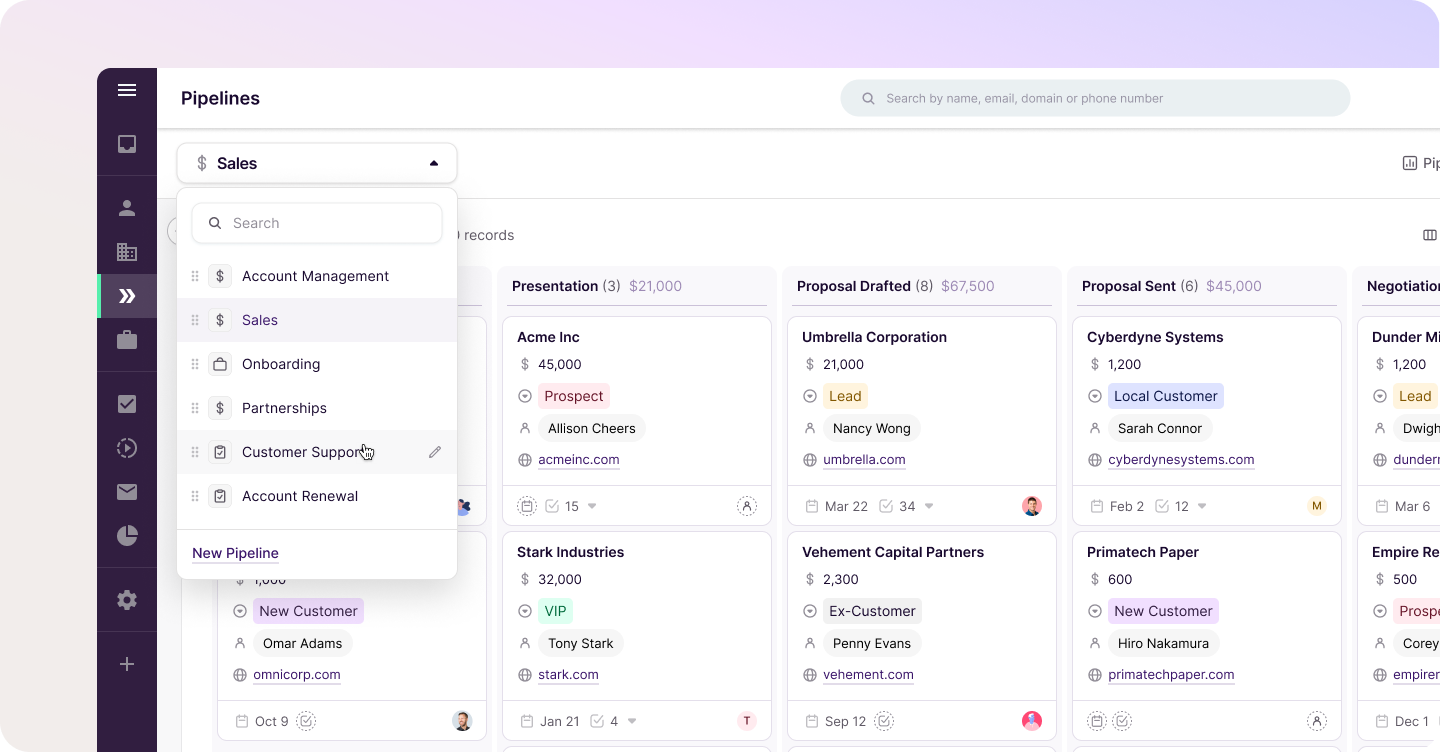
Your sales process changes over time, and your automations should change with it. Review your sequences, triggers, and task assignments to make sure they still match how your team actually works. If you need a refresher, here's how to set up pipelines and workflows that fit your process.
Confirm your integrations sync and your access is current
Make sure your connected tools (email, calendar, forms, billing, and project tools) are syncing properly. Review user permissions by role, and build onboarding and offboarding into the process so former employees don't keep access to client data. A CRM with a native Gmail integration and Google Calendar integration gives you fewer connections to babysit.
Make sure your reports reflect reality
Dashboards are only as good as the fields they pull from. Verify that your reports use the right fields and reflect your actual pipeline stages. Not sure where to start? These CRM reporting basics and five reports worth running in Copper are a good checklist.
Keep your team trained and your documentation fresh
Even the cleanest CRM falls apart if people use it differently. Keep a simple CRM playbook (how to log activity, which fields are required, what each pipeline stage means) and make it part of onboarding for every new hire. (Our guide to CRM adoption has ideas for getting every team on board.)
CRM maintenance best practices for growing teams
Once you're past 15 or so people, CRM upkeep can't live in one person's head. These habits keep things consistent as you add people, teams, and pipelines.
- Name a CRM owner. Give one person (often an operations or RevOps lead) clear ownership of the system, and pick a "CRM champion" on each team to flag issues early.
- Keep one source of truth for every client. If client info lives in spreadsheets, shared drives, and your CRM, nobody knows which version is right. Make the CRM the system of record for every team. (Our customer data management handbook can help.)
- Create a shared data dictionary. Define required fields, naming conventions, and what each pipeline stage means, so records look the same across teams. Our guide to CRM custom fields can help you decide which fields you actually need.
- Control who can change the setup. Limit who can create fields, pipelines, and automations. A few guardrails stop "field sprawl" before it starts.
- Let automation handle the routine work. Use built-in automation to flag inactive contacts, prompt updates, or archive closed deals. In Copper, emails and meetings from Gmail and Google Calendar are logged automatically, so records stay current without manual entry. (Here are 8 ways to use Copper's email automations.)
- Audit your pipelines and fields regularly. Remove fields nobody uses and update stages that no longer match how clients actually move through your process. These tips on how to improve your sales pipeline are a good place to start.
- Train every new hire, and refresh everyone else. Short refreshers stop bad habits from spreading as the team grows. It also helps to communicate the value of your CRM to your team.
Customer story: BoxUp. This custom packaging company runs sales, customer service, and order entry out of one shared Copper account. Customer service logs calls and chats, then hands qualified opportunities to sales, who pass purchase orders to order entry. With seven pipelines segmented by lead source, 58,000 contacts, and a Zapier sync bringing in new accounts and orders, the whole operation depends on clean, connected data. Leadership reviews real-time pipeline metrics in weekly check-ins. "Seeing actionable pipeline data right in front of you is really crucial," says Sales Manager Jake Kitchell. Read the BoxUp story.
How to build a simple CRM maintenance routine
The best routine is one your team will actually follow. Split the work between team leads and your CRM owner, so no one person carries it all.
Step 1. Run a quick weekly data check
Each team lead spends 15 minutes a week scanning their own pipeline for duplicates, incomplete records, and deals that haven't moved. Spreading the work out keeps it small and catches issues close to the source.
Step 2. Do a monthly workflow review
Once a month, your CRM owner tests key automations and integrations, reviews any new fields or stages people have asked for, and updates anything that still points to old pipeline stages.
Step 3. Schedule a quarterly deep clean
Every quarter, the CRM owner and team leads sit down for a deeper review. Archive old contacts, audit integrations, review user permissions by role, retire unused fields, and refresh your CRM playbook.
Here's the whole routine at a glance:
| Frequency | Task | Owner | Time estimate |
|---|---|---|---|
| Weekly | Pipeline and data spot-check | Each team lead | 15 minutes per team |
| Monthly | Workflow, automation, and integration test | CRM owner | 1 hour |
| Quarterly | Full audit, permissions review, and deep clean | CRM owner and team leads | Half a day |
The right CRM features make maintenance easier
The less your CRM depends on manual entry, the less there is to clean up. Look for features like these:
- Automatic activity capture. CRMs that log emails and meetings for you keep records current without anyone lifting a finger. Copper does this directly from Gmail and Google Calendar.
- Duplicate detection. Built-in tools that flag or merge duplicate contacts save hours of manual searching across large databases.
- Role-based permissions. Controlling who can view and edit records, and who can change the setup, keeps data clean as more people get access.
- Integration status visibility. Being able to see whether connected apps are syncing helps you catch issues before they turn into data gaps.
- Customizable reports. Reports that are easy to build help you spot data quality issues before they reach your forecast.
This is where working inside Google Workspace really pays off. Because Copper lives in Gmail, Calendar, and Drive, client data flows in as you work, instead of waiting for someone to copy it over.

Keep your CRM working for you, not the other way around
CRM maintenance doesn't have to be a dreaded chore, even as you grow. With clear ownership, a shared routine, and a tool that does most of the logging for you, your CRM stays something every team trusts.
The goal isn't a perfect database. It's spending less time managing the system and more time building great client relationships.
Ready for a CRM that's easier to keep clean from day one? Try Copper for 14 days free.