Keep all your relationships in one place
Set up the pipelines that work for you
Build workflows that keep everything moving
Build, personalize, scale and automate
Create recurring tasks and notifications
See how your business is doing with custom reports
Connect to your favorite apps and tools
Stay connected wherever you go
Manage contacts, deals, and more, in one place
Power your lead gen and project delivery
Grow client relationships and simplify work
Turn your producers into strategic partners
Manage sponsors, partners, and campaigns easily
Nurture founder relationships and outreach
Manage finances and compliance with ease
Win bids and deliver your team’s best work
Discover tips and strategies to grow your business
Tune in and learn from our experts
Upgrade your CRM skills with expert advice
Everything you need to choose the right CRM
Get inspired and learn from Copper customers
Find answers and tips for mastering Copper
Build apps that connect with Copper
Everything you need to know to choose the right CRM for your team
What mobile integration should mean for a construction team, the features worth paying for, and how to pick a CRM your people will use.
Compare 7 CRMs for agencies, consultancies, and professional services firms. Real 2026 pricing, who each tool fits, and how to choose.
Keep every pod, stakeholder, and handoff aligned, from kickoff to year seven.
Getting decades of client trust out of your head and into a system.
Want to go deeper? Click on a category below for more from Copper.
Not sure if you need a CRM, a project tool, or both? Here's how to tell the difference and pick the right fit for your team.
Learn about what makes a CRM easy to use & what kind of user experience to look for when shopping for one. Already have a CRM? See if its UX is up to par.
Smartpress, an online printing company, swapped Zoho for Copper in just eight weeks — here's how the switch got the whole team on board and now supports 5,000 orders a month.
Need to level up your CRM as your business grows? Here’s a Dubsado alternative to consider.
Looking for a folk CRM alternative in 2026? We broke down the top 5 options.
Your client relationships already live in Gmail, Calendar, and Drive. So why is your CRM somewhere else?
Stop losing warm leads to slower competitors. Learn the process fixes that keep prospects engaged from first call to signed contract.
With thousands of tech options out there, how do you know which tech stack is right for your agency? This post will help you figure that out.
Think business books are the only way to grow as a leader? One novel a year might do more. Here's how fiction books for leaders sharpen focus, creativity, and your ability to actually understand people.
Most agencies are "doing AI" wrong. Learn the 4 mistakes impacting your ROI and how CRM-connected AI actually helps agencies work smarter.
Learn why you should replace your construction scheduling software with a CRM (and reap better results by doing so).
Discover smarter ways to upsell by adding value, not pressure.
Discover the must-have features in a CRM for agencies. Learn how the right CRM can boost team communication, automate tasks, and empower your agency to grow.
Learn how to build and maintain valuable client relationships that promote long-term growth.
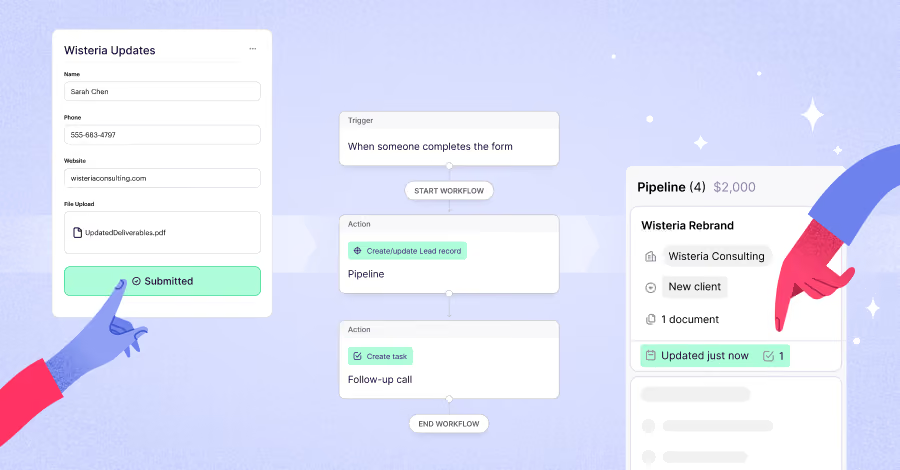
Most CRM forms create records. Copper forms can help move them forward.
A CRM shouldn’t feel like another full-time job. Compare five tools that simplify client management, automate busywork, and fit your workflow.
From reach to revenue, here’s why short-form video should be part of your mix
Boost forecast accuracy and close more deals with smarter CRM opportunity management, AI automation, and better pipeline visibility.
Most forms stop at intake. These don’t. Explore 5 ways connected forms can create records, update pipelines, trigger follow-up, and keep work moving across the customer lifecycle.
Learn how to organize leads, automate follow-ups, and build stronger customer relationships with the right CRM strategy.
Discover how relationship intelligence improves your CRM, strengthens client relationships, and helps your team drive retention and growth.
Download Copper's free CRM Google Sheet template and learn how to set it up step by step. Track leads, contacts, and deals without any paid tools.
From bid to build, Copper and Timmy help keep your projects connected so your team can move smoothly from kickoff to delivery.
Tired of juggling tools? Discover CRM and task management software that keeps your work, deals, and follow-ups all in one place (finally!).
Most CRMs for consultants are designed for sales teams with quotas. If your firm runs on long client relationships, shared across partners and engagement leads, here's why that's a problem, and what to use instead.